
 PremiumEND USERIT PRO7 min read
The 1P agents of Microsoft Copilot: the full tour
You know the generalist Copilot. But did you know Microsoft already ships a small team of ready-to-use specialists? These are the 1P (first-party) agents, « Built by Microsoft »: Analyst, Researcher, Plan My Day, Workflows… Here's who does what, sorted by family, with concrete examples.
✅ How to
 1Ready-to-use specialists, built by Microsoft
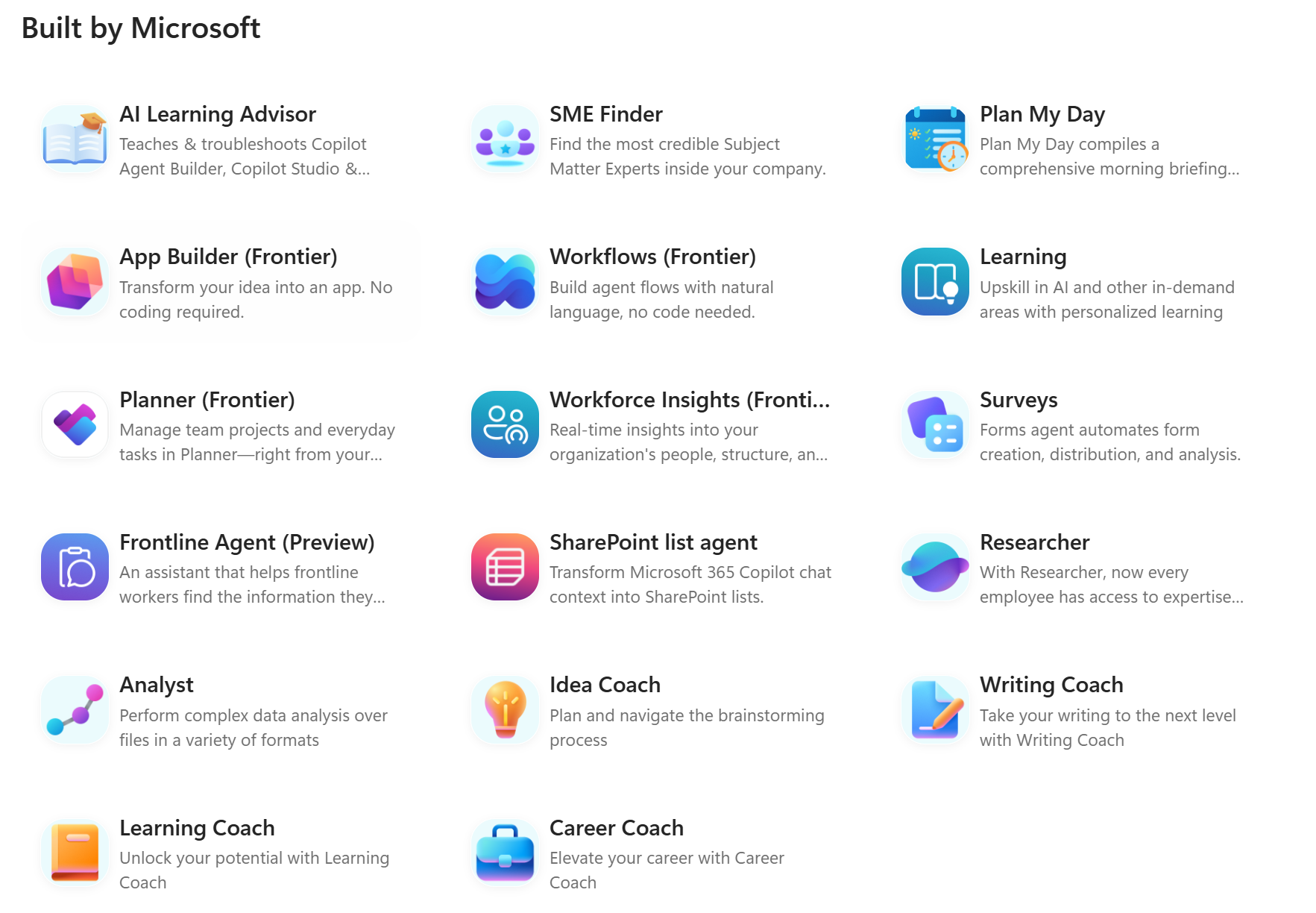
Where Copilot answers (almost) anything, agents are specialized assistants, each tailored for one precise mission. The 1P agents, for « first-party », are the ones designed and shipped by Microsoft, directly available in Microsoft Copilot under the « Built by Microsoft » label. No install, no setup: you select them and put them to work.
In the sections below, I introduce each agent, one by one, grouped into 4 broad families.
 2Plan My Day · Personal productivity
Your daily organization assistant. It compiles a real morning briefing: important meetings, emails needing action, the day's urgencies. The perfect ritual to start the day with a clear overview.
Example: « Prepare my morning briefing with my important meetings and the emails needing an action. »
 3Writing Coach · Personal productivity
The writing coach that strengthens your professional documents. It improves tone, clarifies the message, fixes structure and boosts impact. Ideal before sending a strategic email.
Example: « Rewrite this email to make it more convincing for an executive committee. »
 4Idea Coach · Personal productivity
Your brainstorming partner. It sparks creativity, generates innovation leads, structures your ideation workshops and challenges your assumptions. Perfect to prepare a workshop.
Example: « Generate 20 ideas to improve Microsoft Copilot adoption at our clients. »
 5Career Coach · Personal productivity
A coach dedicated to your professional development: career advice, skill building, interview prep, progression plans.
Example: « Which skills should I develop to become the lead of an AI team? »
 6Learning Coach · Personal productivity
The pedagogical coach supporting continuous learning. It recommends paths, assesses skills, builds progression plans and tracks your goals.
Example: « Build a 30-day learning plan on Copilot Studio. »
 7Analyst · Research & analysis
The advanced analysis agent. It explores complex files (Excel, CSV, PDF, reports) and extracts trends, correlations and insights. In short, it makes data speak, even across multiple sources.
Example: « Analyze the last 12 months of sales files and identify the common factors of regions that beat their targets. »
 8Researcher · Research & analysis
The deep research agent. It combines your Microsoft 365 data with advanced research capabilities to produce genuinely detailed analyses: benchmark, monitoring, synthesis of multiple sources.
Example: « Prepare an analysis of generative AI adoption in the construction sector and compare with our ongoing initiatives. »
 9SME Finder · Research & analysis
SME stands for « Subject Matter Expert ». This agent identifies the most relevant experts in your organization by analyzing skills and communities. No more « who could help me with this? ».
Example: « Who are the most active SharePoint Online experts in the organization? »
 10App Builder (Frontier) · Creation & automation
App creation through natural language. Describe your need and it generates the application, the user interface and the data model.
Example: « Create an app to track client requests. »
 11Workflows (Frontier) · Creation & automation
The agent that creates automations in natural language. It connects several services and turns a repetitive process into a workflow, without writing a single line of code.
Example: « When a new employee joins, automatically create their onboarding tasks. »
 12SharePoint List Agent · Creation & automation
It turns a conversation's context into a structured SharePoint list, then keeps it up to date. Ideal to quickly build a repository or an action tracker.
Example: « Turn this meeting into a SharePoint action-tracking list. »
 13AI Learning Advisor · Creation & automation
The expert dedicated to Microsoft AI products and to learning Copilot. It explains concepts, answers technical questions and supports agent creators.
Example: « Explain the difference between a declarative agent and an autonomous agent. »
 14Planner (Frontier) · Business & organization management
The smart extension of Microsoft Planner: automatic task creation, project tracking, prioritization and deadline management.
Example: « Create a project plan for the rollout of 10,000 Microsoft Copilot licenses. »
 15Workforce Insights (Frontier) · Business & organization management
The organizational analysis agent. It explores the company structure, analyzes skills and maps teams.
Example: « Which departments are the most involved in AI projects? »
 16Surveys · Business & organization management
The survey creation and analysis agent. It generates questionnaires, distributes surveys and analyzes results.
Example: « Create a survey to measure Copilot user satisfaction after 30 days. »
 17Learning · Business & organization management
Connected to Microsoft learning content, this agent searches for trainings, recommends certifications and selects suitable paths.
Example: « Find the best resources to prepare the MS-4007 certification. »
 18Frontline Agent (Preview) · Business & organization management
Designed for frontline workers (retail, industry, logistics, maintenance). It offers document search, operational support, procedure answers and on-the-go assistance.
Example: « What is the restart procedure for a production equipment? »
- 19The 5 agents I'd put forward
If you had to keep just a few for a client, I'd bet on the ones that truly make a difference today: Researcher (expertise on demand), Analyst (data that speaks), SME Finder (the right expert in an instant), Plan My Day (the morning ritual) and Workflows (no-code automation). They're the most differentiating, and often the ones that trigger the « wow effect » in a workshop.
- 20What to remember
The 1P agents fall into 4 broad families, summarized in the table below. The right adoption reflex: don't present them all at once. Start with one or two agents that speak to the user's job, then expand once the basics are in place. That's step 6 of the adoption journey.
Family Agents Personal productivity Plan My Day, Writing Coach, Career Coach, Learning Coach Research & analysis Analyst, Researcher, SME Finder Creation & automation App Builder, Workflows, SharePoint List Agent Business & organization management Planner, Workforce Insights, Surveys, Frontline Agent
Status as of September 17, 2026, subject to change: features labeled Frontier remain in early access and may change before general availability.
💬 Comments
No comments yet. Be the first!
✨ Discover more
 Premium
Analyst agent: the pocket data scientist living in your Copilot
The Analyst agent is the Microsoft Copilot agent that turns a messy spreadsheet into real business decisions, simply by chatting with it like a colleague. No need to be an analyst: you ask a question in plain language, it computes, reasons and answers. Demo with a concrete case at Nova Sports.
 Premium
Build a Copilot agent for a business use case
With Agent Builder, anyone can create their own agent, no code: describe it in natural language, add your instructions, enable options (images, sources) or start from a ready-made template.
PremiumSkills in declarative agents: capabilities on demand
Skills add reusable capabilities to declarative agents. Learn how to add them, how an agent combines them to handle an Outlook request, and which safeguards remain in place.