
 PremiumEND USER5 min read
Analyst agent: the pocket data scientist living in your Copilot
The Analyst agent is the Microsoft Copilot agent that turns a messy spreadsheet into real business decisions, simply by chatting with it like a colleague. No need to be an analyst: you ask a question in plain language, it computes, reasons and answers. Demo with a concrete case at Nova Sports.
✅ How to
- 1Welcome to the counter
A tip for everyone who opens an Excel file with a knot in their stomach.
The Analyst agent turns a messy spreadsheet into real decisions. You ask in plain language, it computes, reasons, answers. A five-minute demo.
- 2What is the Analyst agent?
A virtual data scientist that reads your Excel files, CSVs and database exports, then draws out trends, anomalies and charts.
Its trademark: it doesn't just spit out a number. It generates code, runs it, checks and fixes until the answer is reliable.
Three big missions:
- Integrate and clean scattered data.
- Analyze in depth to decide.
- Tell the numbers' story with clear charts.
- 3The setting: Nova Sports
Picture Nova Sports, a sports-gear online retailer. Its Q1 2026 sales don't fit in one file: two exports per region, collected by hand.
And they don't match: on the Sud side, text dates, an extra « Code_Promo » column, some empty satisfaction scores.
Put end to end: 337 orders, 44,079 € in revenue.
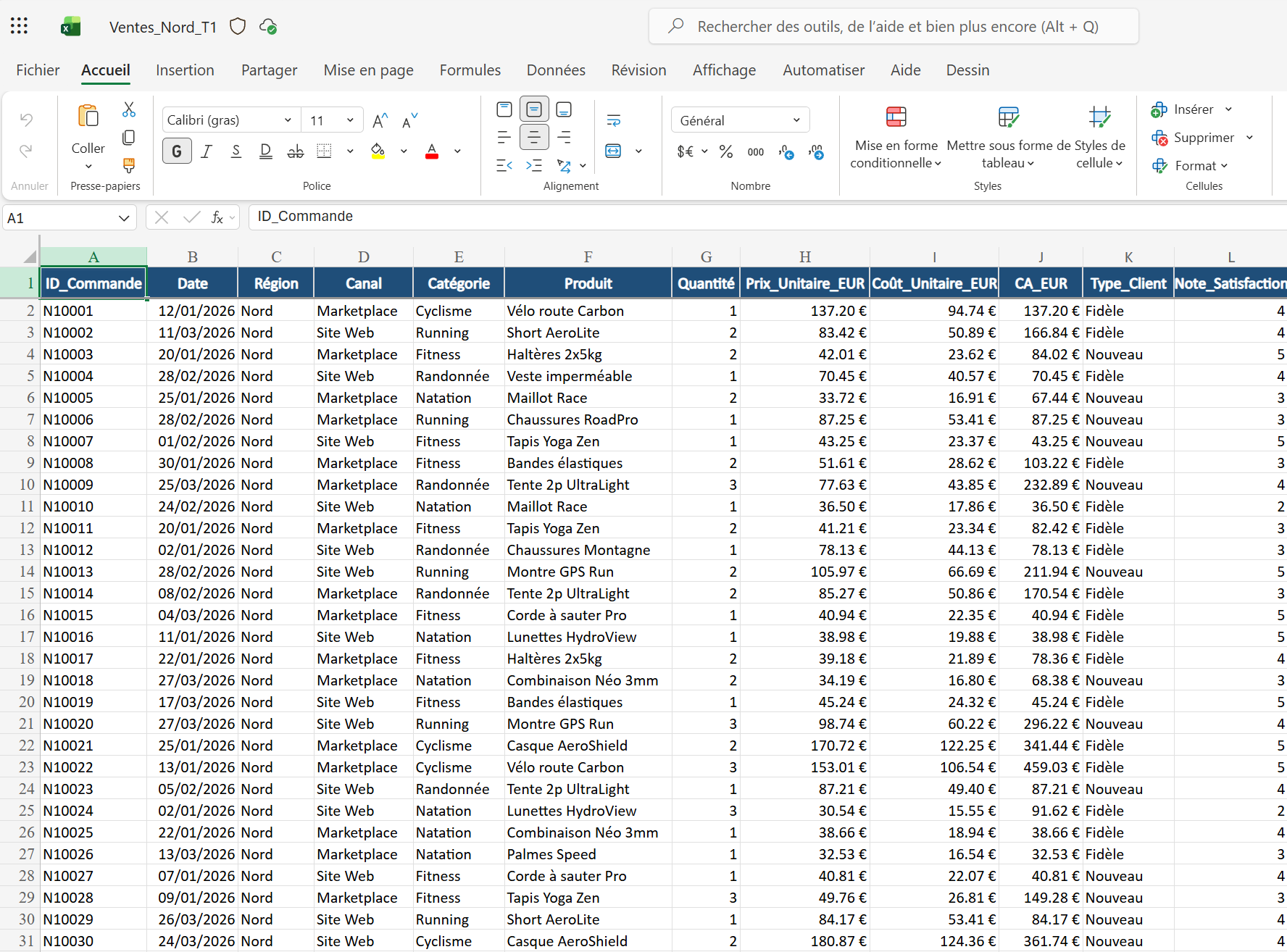
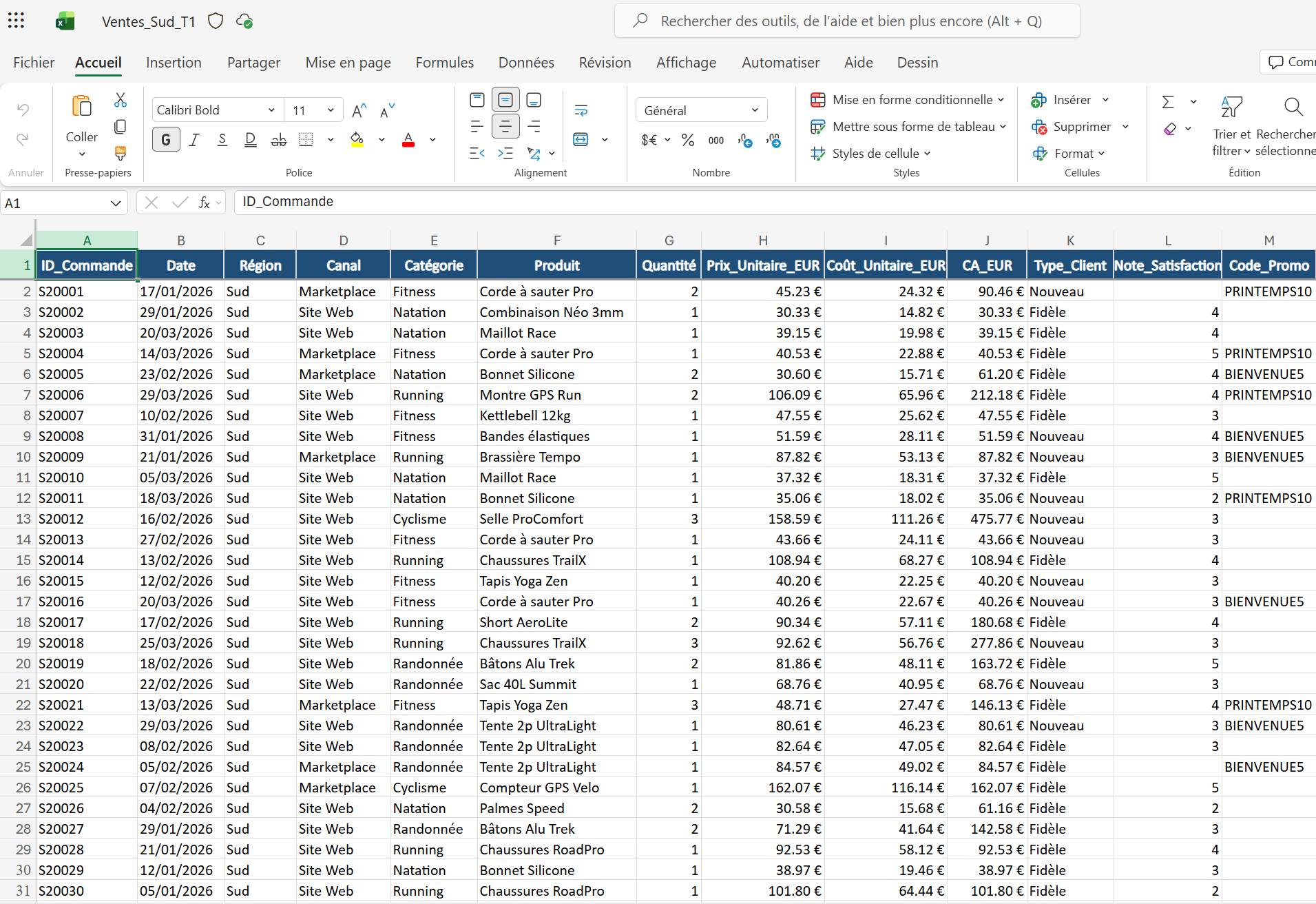
The two raw exports: Ventes_Nord_T1 and Ventes_Sud_T1 (text dates, extra Code_Promo column, missing scores).
- 4Tip #1: merge two files in one sentence
You load both files, open Analyst, and ask it to tidy up (prompt below).
It aligns the columns, converts text dates into real dates, harmonizes the regions and flags incomplete rows. One clean file, ready to use.
Twenty minutes of copy-paste settled in one sentence.
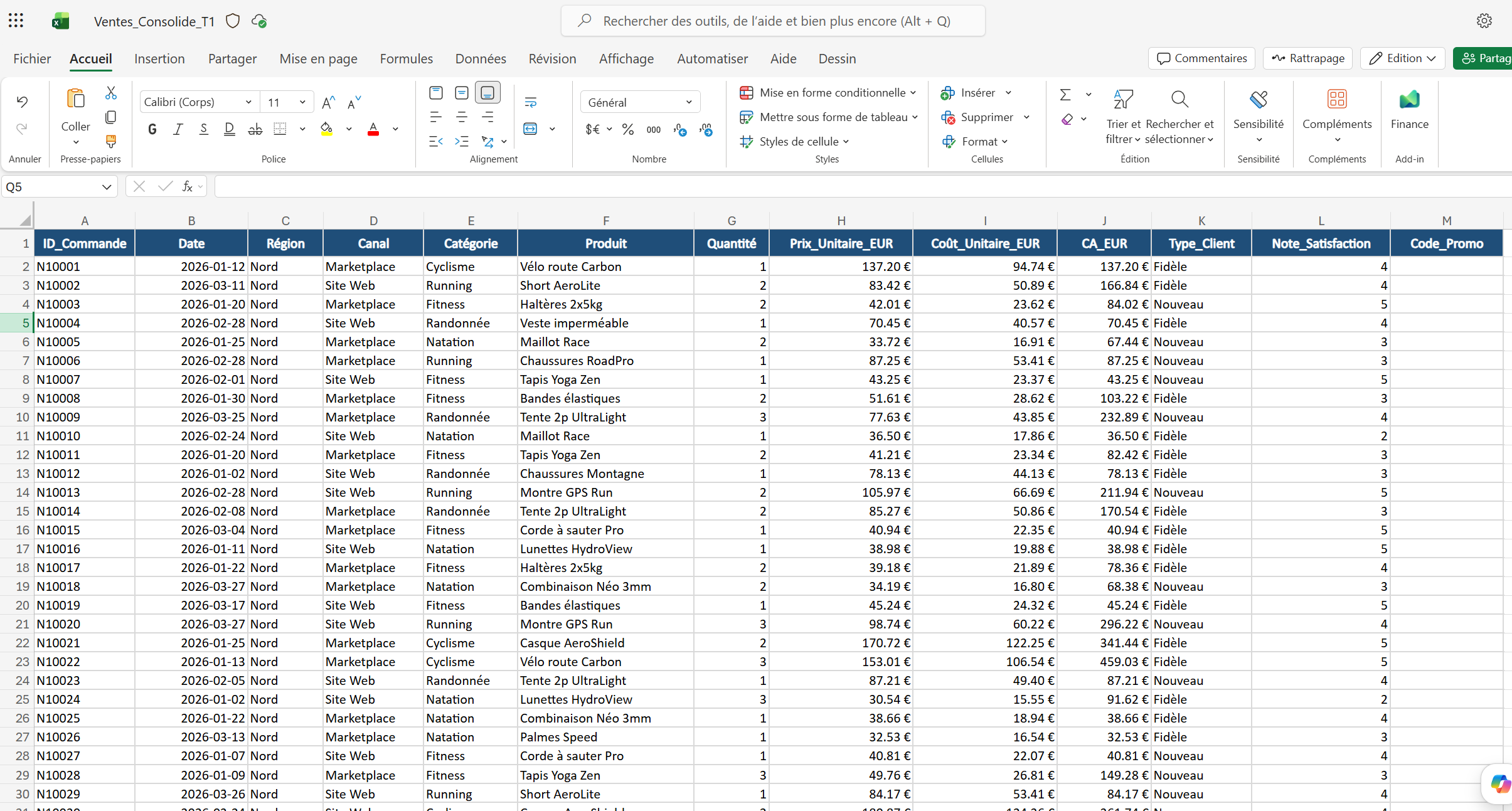
The consolidated file produced by Analyst: aligned columns, normalized dates, harmonized regions.
- 5Tip #2: ask THE question that hurts
At Nova Sports, marketing wants to boost Running (the #1 category) with a 15% discount. Cheaper, more volume, more revenue... right?
Analyst goes back to the real numbers: margin per item drops from 36.10 € to 21.83 €.
Verdict: just to hold the margin, you'd need +65% volume. A 30% increase would lose about 1,065 € over the quarter.
The « obvious » promo was a margin trap, avoided in thirty seconds.
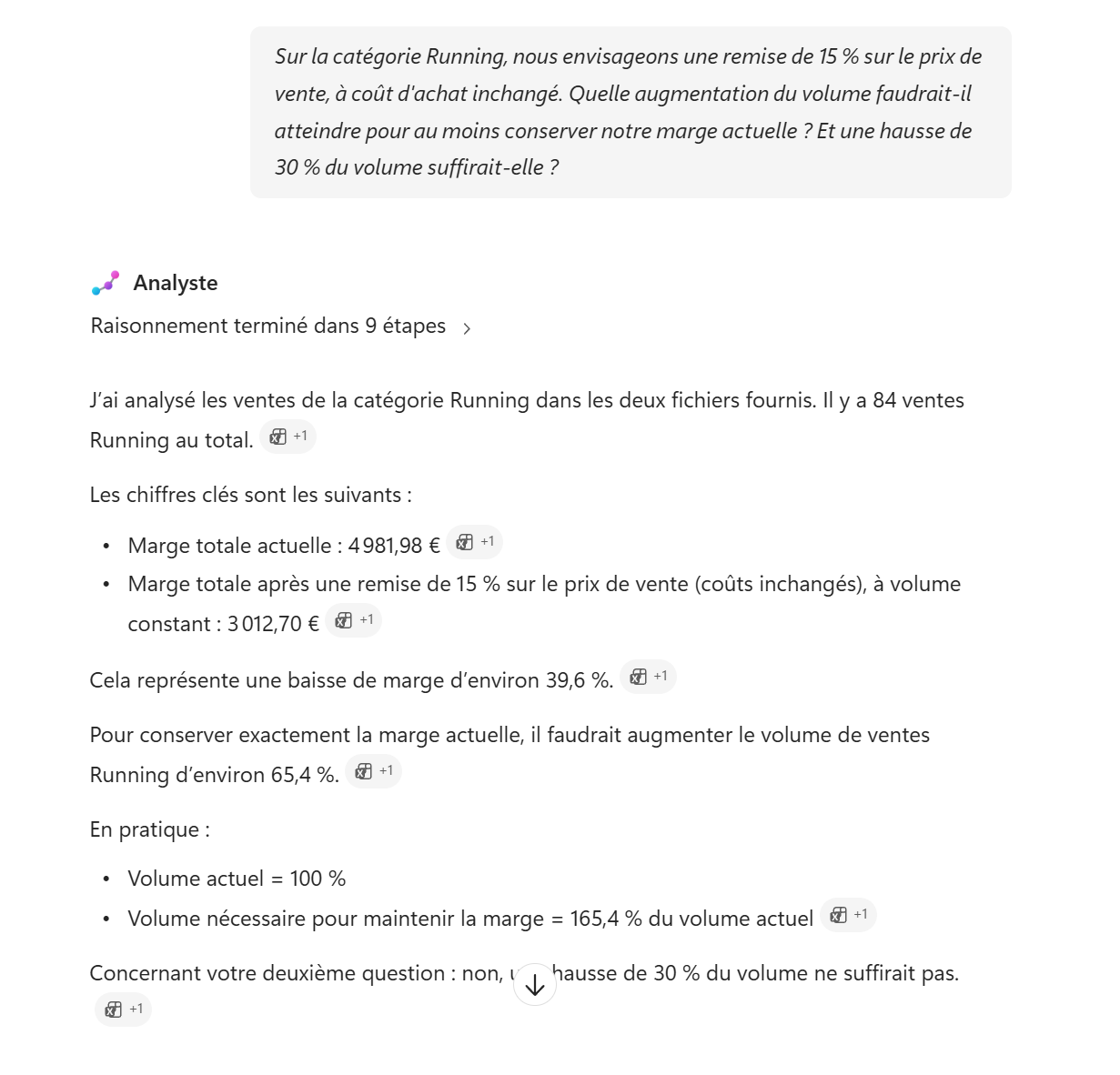
Analyst's reasoning on the Running discount: why the « obvious » promo would lose margin.
- 6And what about the chart?
Ask « make me a chart of margin by category and region, then summarize the three takeaways ».
Analyst produces the visual and its commentary, in the conversation. From raw data to a committee slide, without switching tools.
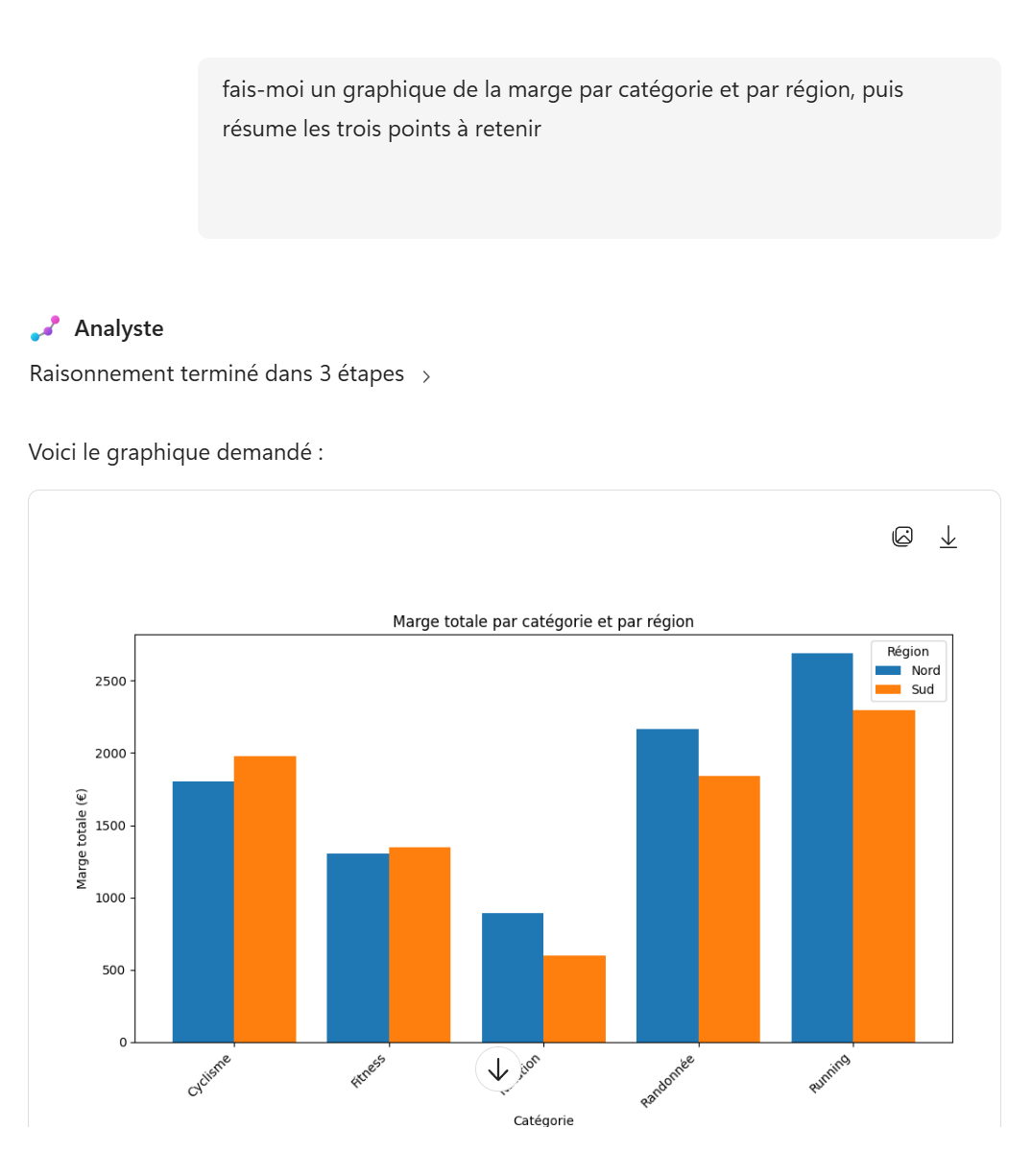
The margin-by-category-and-region chart, generated in the conversation.
- 7The right reflex for a dashboard
Need a real Excel dashboard (KPIs, charts wired to your data)? Don't ask Analyst: use « Edit with Copilot » directly in Excel.
Analyst is great for analyzing and answering. But for a living dashboard in the workbook, « Edit with Copilot » works on your file and leaves you an editable dashboard.
The right tool for the right deliverable.
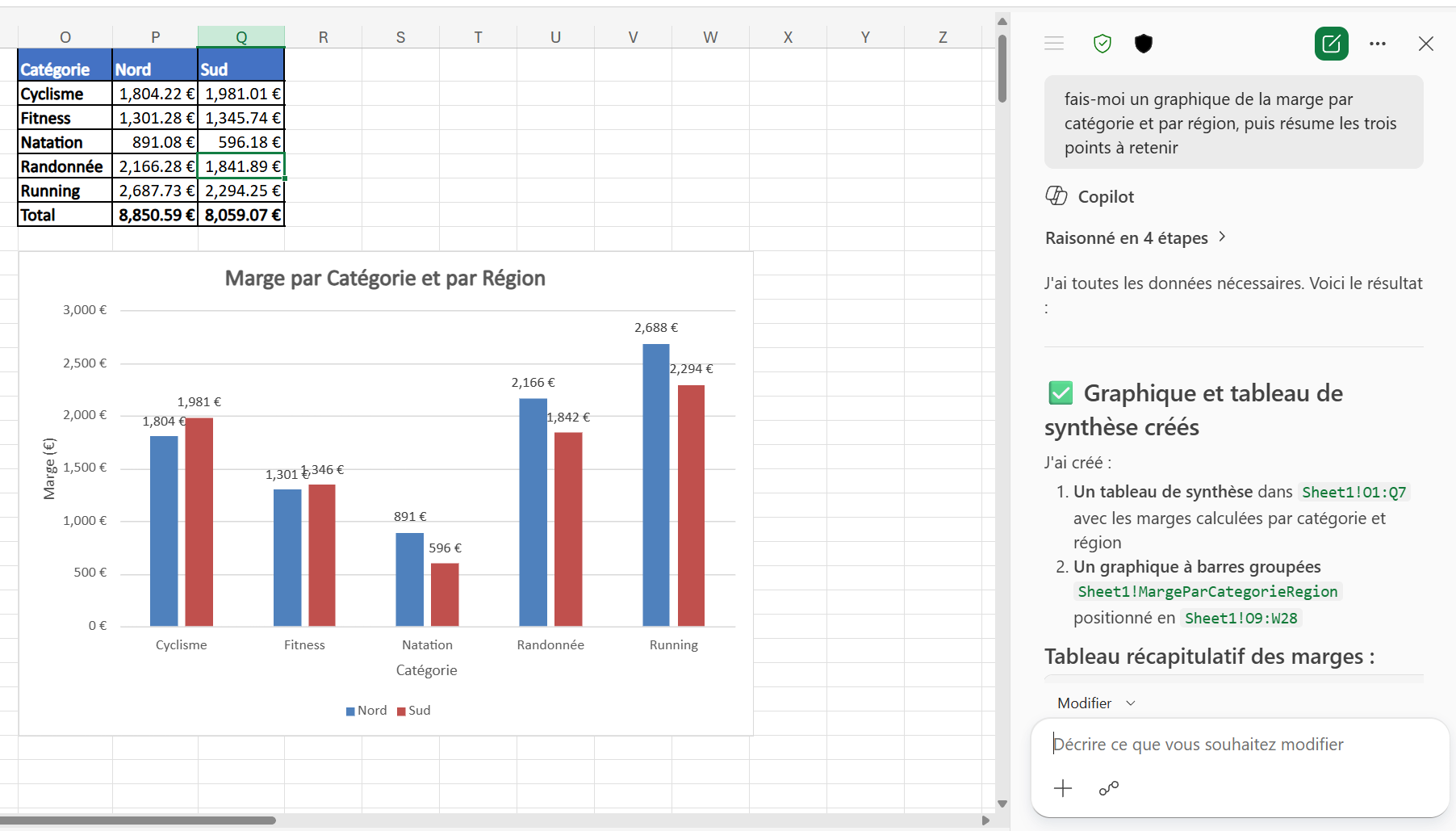
With « Edit with Copilot » in Excel: summary table and chart created directly in the workbook.
- 8What to remember
- You speak plainly, Analyst does the math.
- It doesn't guess: it reasons, runs code, checks.
- It shines on « what if... ? » questions.
And for a dashboard, the reflex stays « Edit with Copilot » in Excel.
⚡ Prompt to copy
Consolidate the files Ventes_Nord_T1.xlsx and Ventes_Sud_T1.xlsx into a new Excel file that includes every column present in either one. Harmonize the date format, standardize the region name and flag the incomplete rows.

Then: On the Running category, we're considering a 15% discount on the selling price, with purchase cost unchanged. What volume increase would we need to at least keep our current margin? And would a 30% volume increase be enough?
📚 Official sources
💬 Comments
No comments yet. Be the first!
✨ Discover more
 Premium
The 1P agents of Microsoft Copilot: the full tour
You know the generalist Copilot. But did you know Microsoft already ships a small team of ready-to-use specialists? These are the 1P (first-party) agents, « Built by Microsoft »: Analyst, Researcher, Plan My Day, Workflows… Here's who does what, sorted by family, with concrete examples.
 Premium
Build a Copilot agent for a business use case
With Agent Builder, anyone can create their own agent, no code: describe it in natural language, add your instructions, enable options (images, sources) or start from a ready-made template.
PremiumSkills in declarative agents: capabilities on demand
Skills add reusable capabilities to declarative agents. Learn how to add them, how an agent combines them to handle an Outlook request, and which safeguards remain in place.