
 PremiumEND USER2 min read
Summarize your inbox and reply to an email
Ask Copilot for a digest of your unread mail sorted by priority, then let it draft your replies right inside Outlook.
✅ How to
- 1
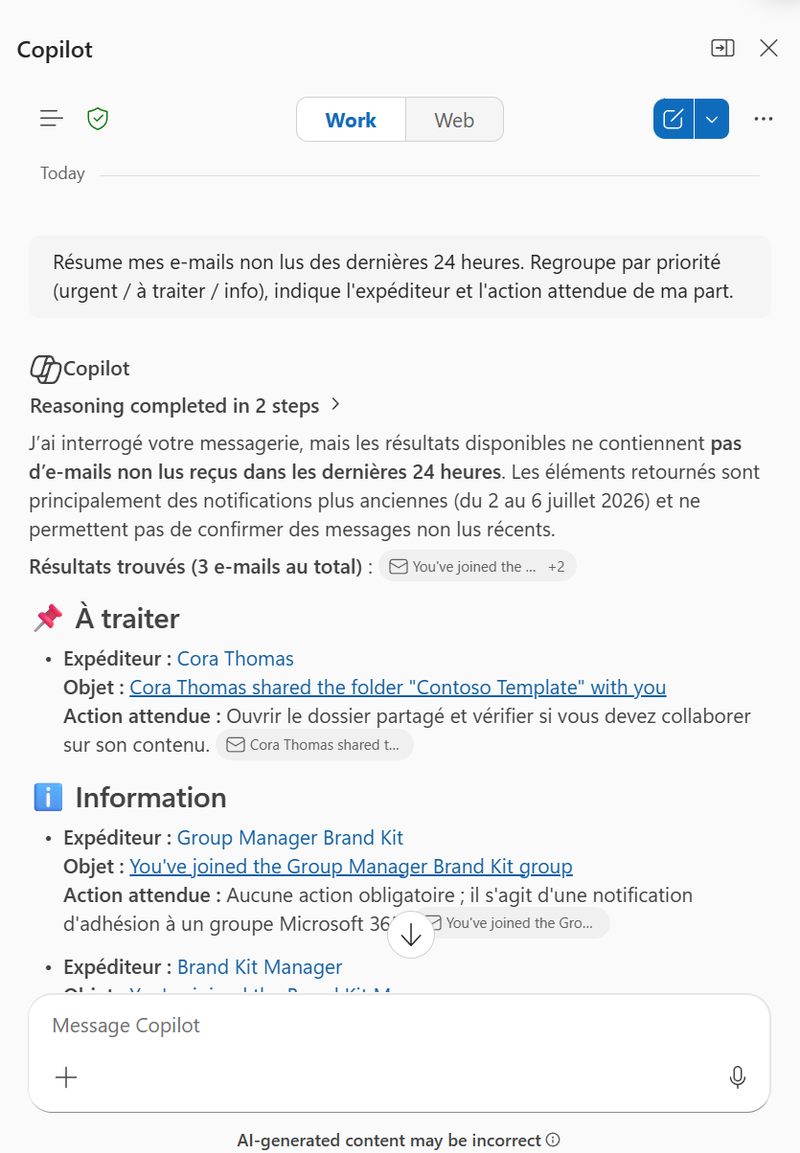
Open Copilot Chat (Work mode) and ask for a summary: “Summarize my unread emails from the last 24 hours. Group by priority (urgent / to handle / FYI), show the sender and the action expected from me.” Copilot returns a digest sorted by priority (To handle, Information…) with, for each email, the sender, subject and expected action.
- 2
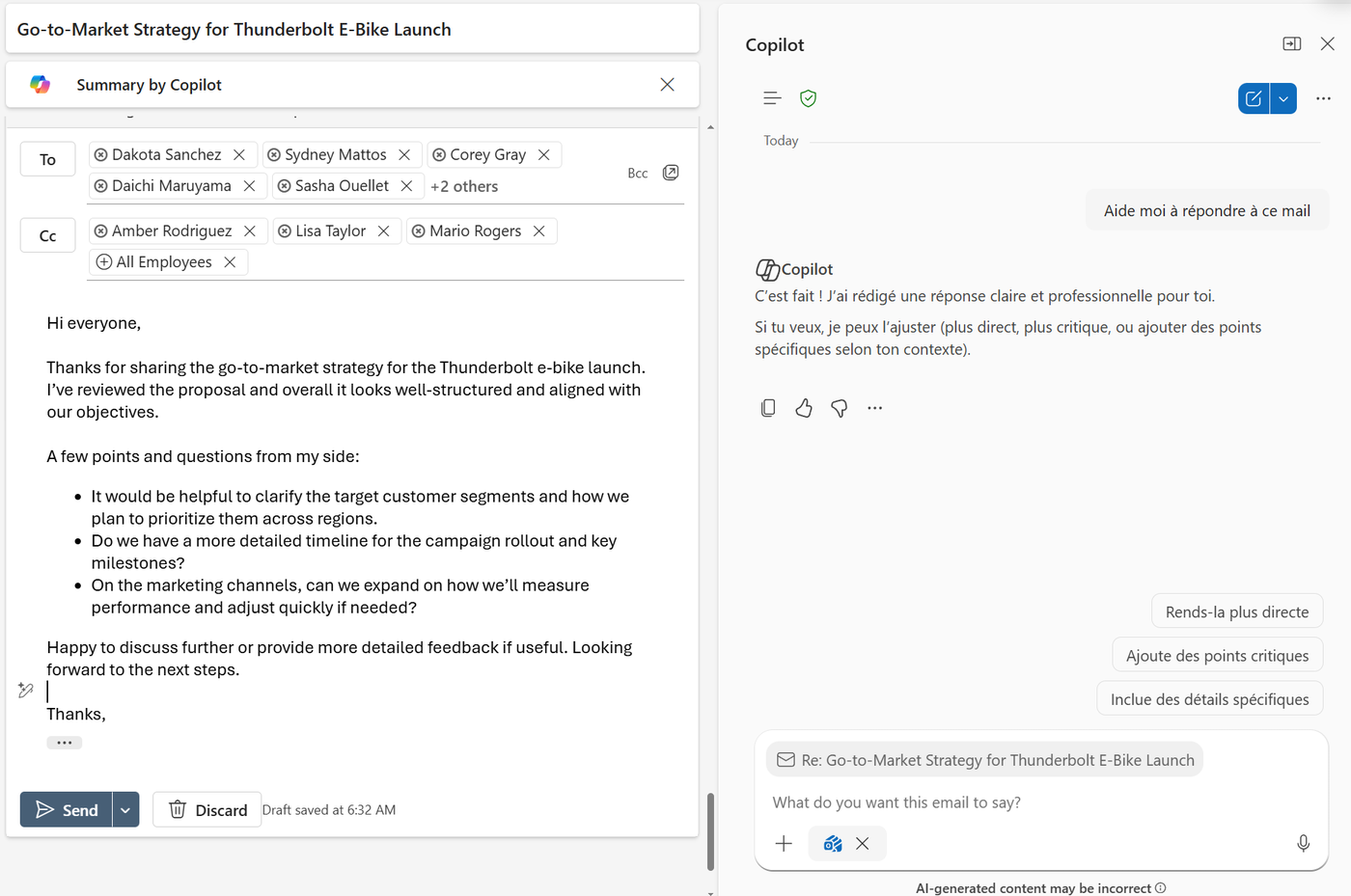
Open the email you want to reply to: Copilot shows a summary at the top (Summary by Copilot) so you can get the context at a glance.
- 3
In the Copilot pane, ask “Help me reply to this email”: Copilot drafts a clear, professional reply, ready to drop into the draft.
- 4
Refine the reply in one click with the suggested chips, “Make it more direct”, “Add critical points”, “Include specific details”, then review and send.
⚡ Prompt to copy
Summarize my unread emails from the last 24 hours. Group by priority (urgent / to handle / FYI), show the sender and the action expected from me.
💬 Comments
No comments yet. Be the first!
✨ Discover more
PremiumSend an email straight from Copilot
Draft and send an email without leaving Copilot: describe the intent, let Copilot draft it, tweak the tone, send.
PremiumOutlook's hidden duo: Agenda + Prepare
Copilot can help you shape a meeting when you create the invite, then bring together useful context before it starts. Discover Agenda, Prepare and the quick way to turn on Facilitator ahead of time.
PremiumSchedule with Copilot: from an email thread to a structured meeting
Schedule with Copilot in Outlook automatically turns an email exchange into a meeting. Copilot analyzes the thread's context and helps create a meeting with the right people, a suitable time slot and a first draft agenda.