
 PremiumIT PRO6 min read
Microsoft 365 Admin Agent: run your tenant in natural language
The Microsoft 365 Admin Agent is an agentic assistant for IT administrators: instead of navigating ten portals, you ask in natural language (« how many Copilot licenses are available? », « is Teams down? »), and the agent queries, recommends and proposes actions, always with your confirmation.
✅ How to
- 1Administration that shifts to intent
Managing Microsoft 365 means juggling many screens and settings. The Microsoft 365 Admin Agent changes the approach: you express your intent in natural language, and it turns that into operations on your tenant, with contextual guidance and proactive suggestions.
Reassuring point: any action that changes something requires your explicit confirmation. The agent never makes a change on its own.
- 2Where to use it: two connected surfaces
The agent lives in two places, with context continuity between them:
- In the Microsoft 365 admin center (admin.microsoft.com): click the « Copilot » button at the top; the Admin agent is already selected.
- In Microsoft Copilot Chat: go to « Agents » and choose « Microsoft 365 Admin ».
You can start a request in the chat, then continue it in the admin center without losing the thread. Suggested prompts help you get started.
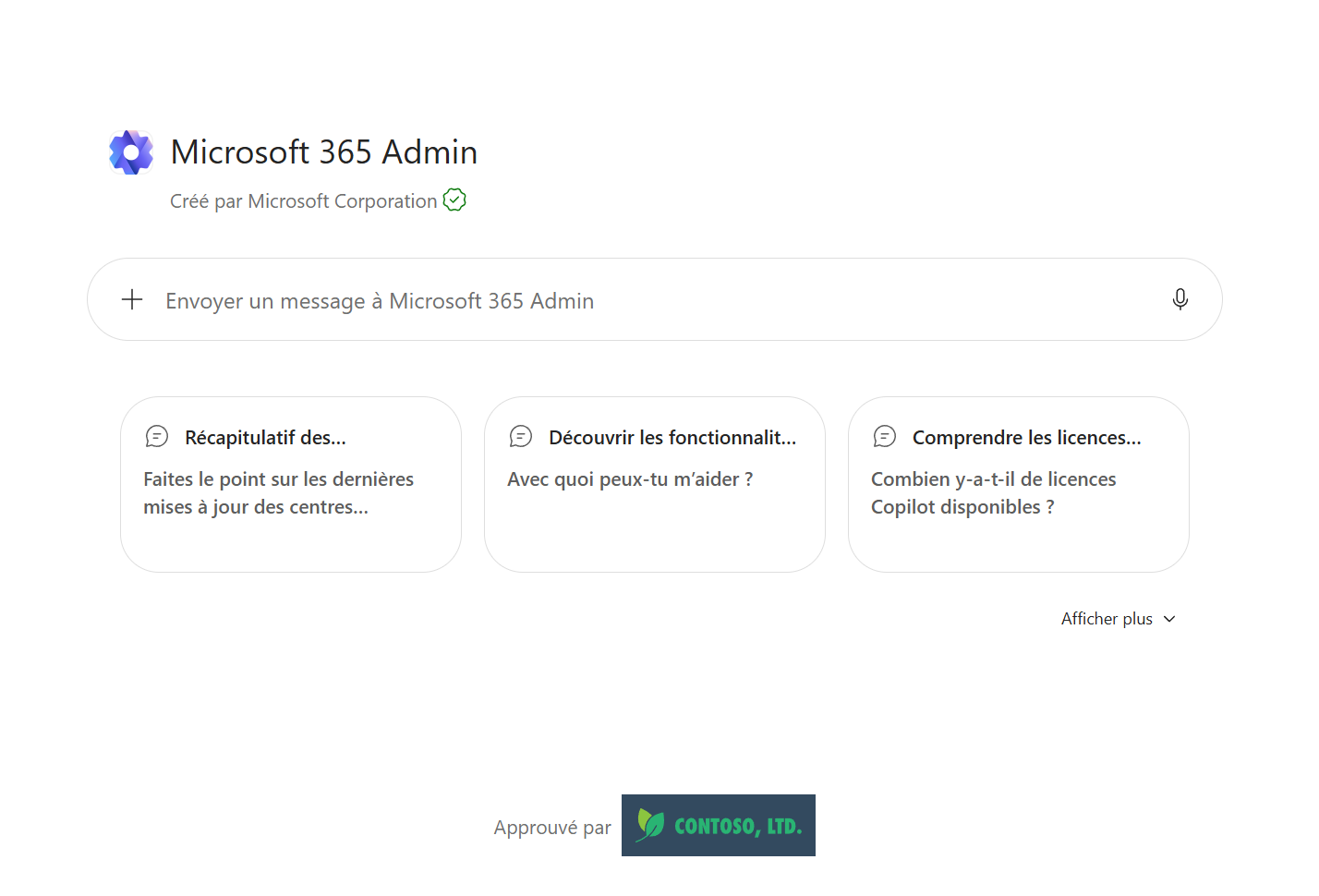
The Microsoft 365 Admin agent in Copilot, with its suggested prompts (licenses, features, updates).
- 3The prerequisites to use it
To use the agent, you must first be a tenant administrator: it's reserved for admin roles, not end users.
- « AI Administrator » role: to use the agent and configure scenarios.
- « Global Reader » role: for read-only access.
- It honors the signed-in admin's permissions (a Teams admin manages Teams policies, not SharePoint settings).
Good news: it doesn't require an extra Microsoft Copilot license, it relies on existing admin roles.
- 4What it can do
A few requests you can give it:
- « How many Copilot licenses are available? »: it returns the breakdown per product (total, assigned, available).
- « Share the Message Center posts related to Copilot. »: it lists the MCs with title, service and summary.
- « Is my org ready for Copilot? What should I prioritize? »
- « Is Teams down? My users have email problems. »
- « Show the MFA status and turn on passwordless authentication. »
It queries the right services, correlates with real-time status, and proposes the action.
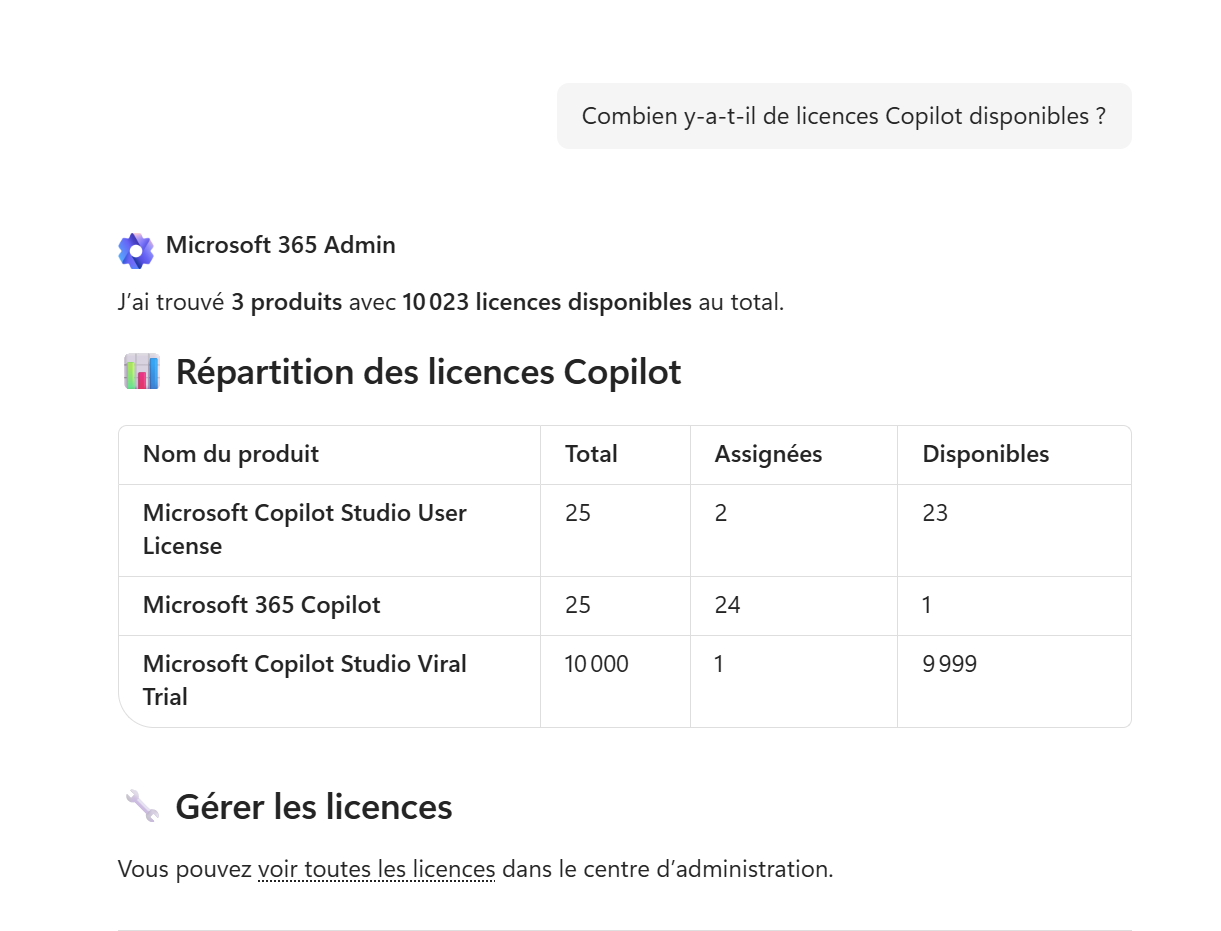
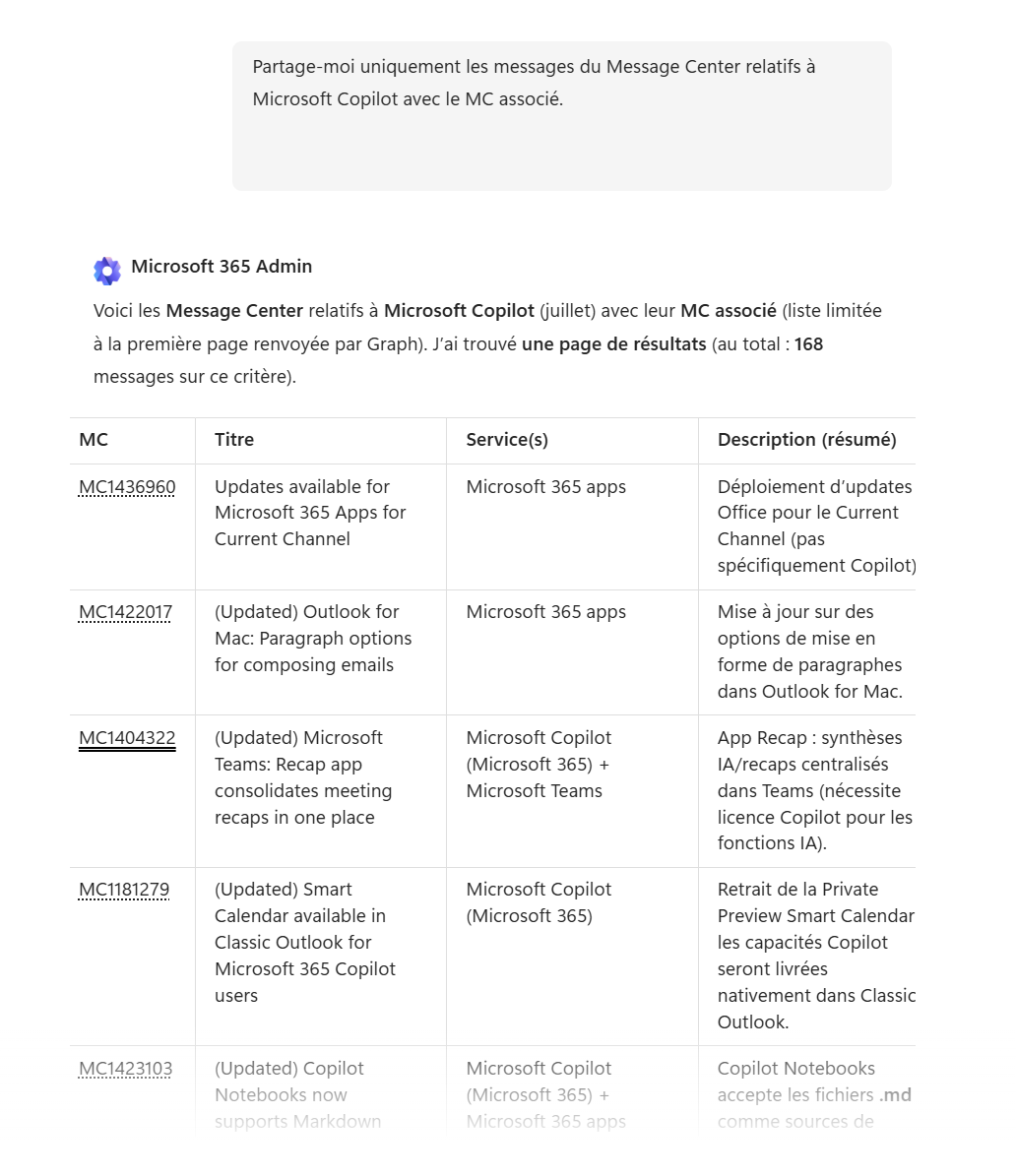
Two examples: the Copilot license breakdown, and the Message Center posts related to Copilot.
- 5It always acts with your approval
When a request involves a change (for example « Assign a Microsoft Copilot license to Joe Dalton »), the agent runs nothing on its own: it first shows a card summarizing the action's parameters and a warning, then waits for you to click « Accept » or « Decline ».
And everything is logged: operations show up in the audit logs of the relevant services (Microsoft 365 admin center, Microsoft Entra, Teams admin). You keep control and traceability.
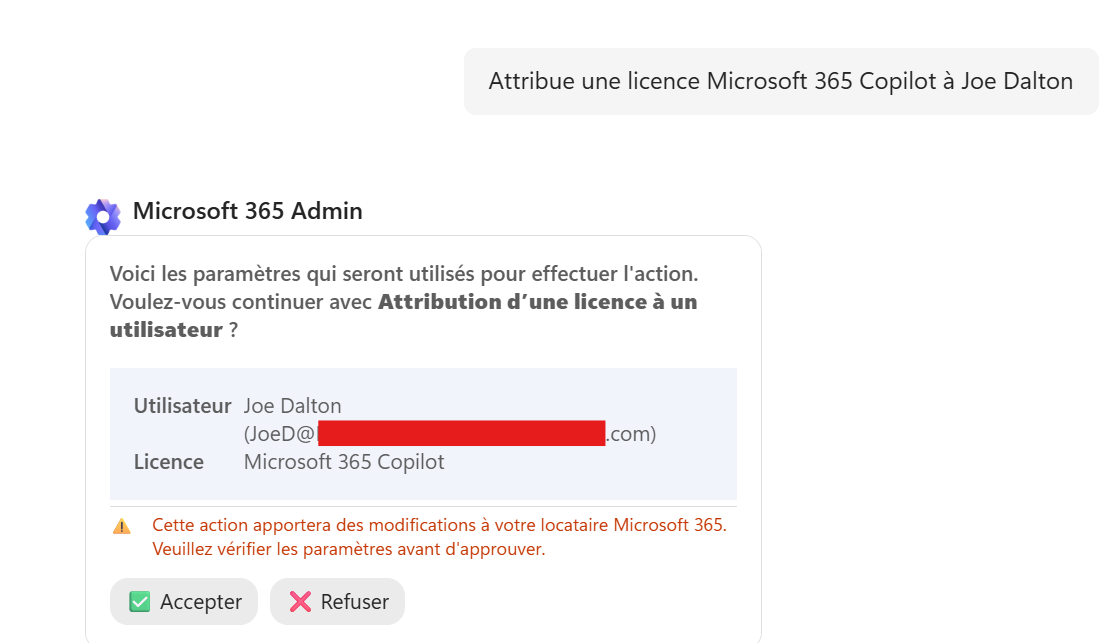
Before any change, the agent asks for explicit confirmation (Accept / Decline).
- 6What to remember
The Microsoft 365 Admin Agent is administration in natural language: less portal hopping, guided answers and actions, with no extra Copilot license, but reserved for administrators based on their roles. The agent proposes, the admin decides, and everything stays audited.
The Microsoft 365 Admin Agent is reserved for administrators: AI Administrator role to act, Global Reader for read-only. It doesn't require an extra Microsoft Copilot license, honors the signed-in admin's RBAC permissions, and any changing action requires explicit confirmation.
📚 Official sources
💬 Comments
No comments yet. Be the first!
✨ Discover more
 Premium
Skills in declarative agents: capabilities on demand
Skills add reusable capabilities to declarative agents. Learn how to add them, how an agent combines them to handle an Outlook request, and which safeguards remain in place.
PremiumThe 1P agents of Microsoft Copilot: the full tour
You know the generalist Copilot. But did you know Microsoft already ships a small team of ready-to-use specialists? These are the 1P (first-party) agents, « Built by Microsoft »: Analyst, Researcher, Plan My Day, Workflows… Here's who does what, sorted by family, with concrete examples.
PremiumBuild a Copilot agent for a business use case
With Agent Builder, anyone can create their own agent, no code: describe it in natural language, add your instructions, enable options (images, sources) or start from a ready-made template.