
 PremiumEND USER3 min read
Create a Copilot Notebook to organize your watch
Bundle files, chats, meetings and emails on one topic into a Copilot Notebook: a dedicated space where Copilot reasons only over your curated sources.
✅ How to
- 1
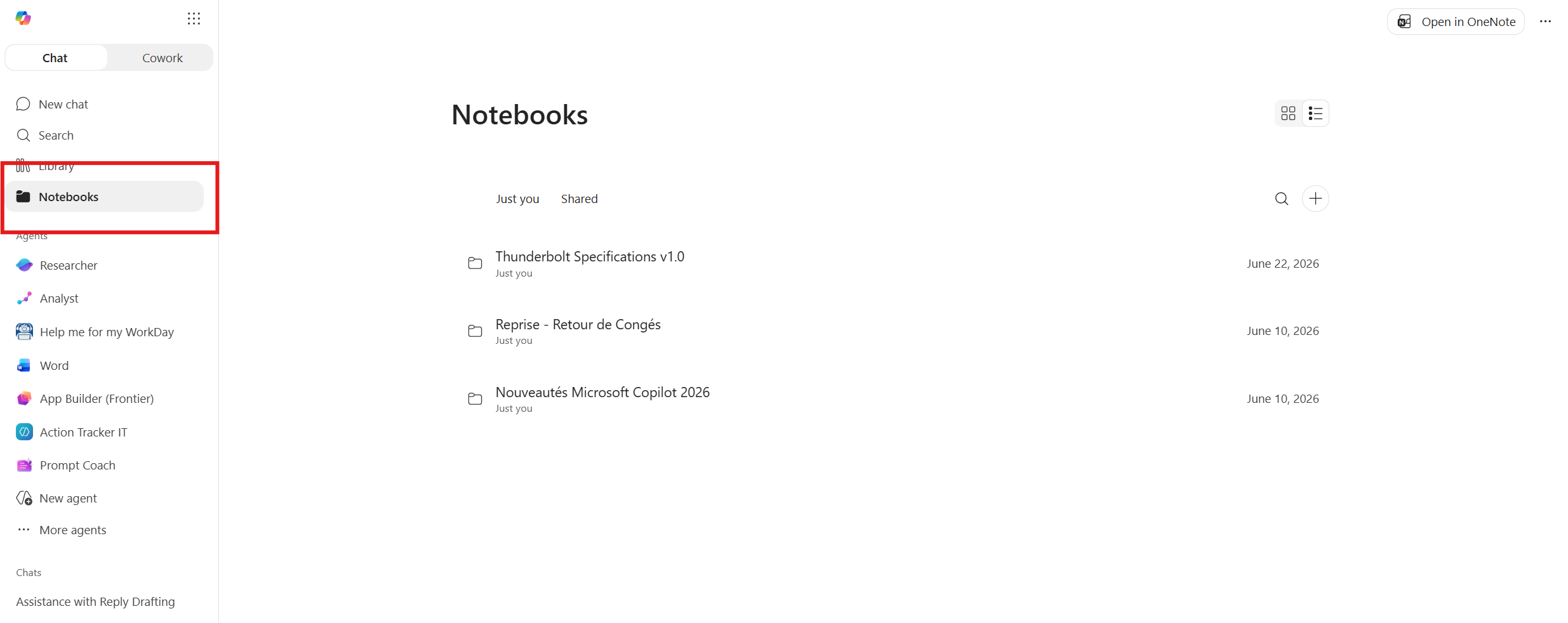
In Microsoft Copilot, open the “Notebooks” tab in the left pane. You'll see your existing notebooks (personal “Just you” or “Shared”).
- 2
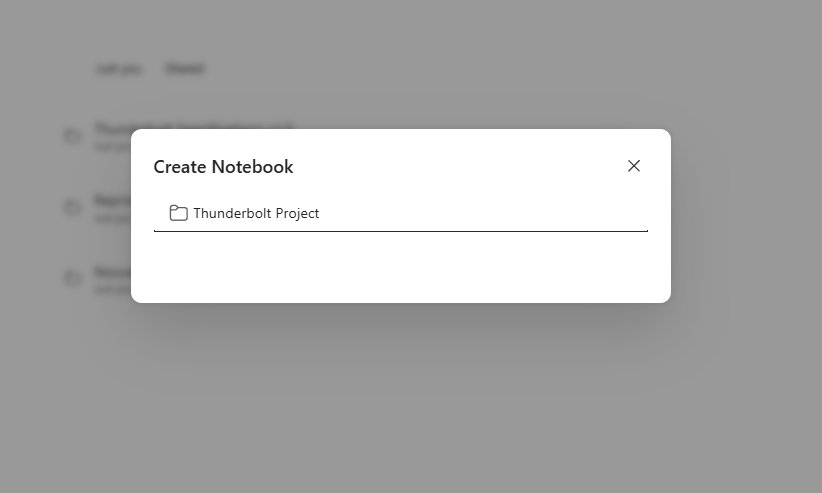
Click “+” to create a notebook, give it a clear name tied to your topic (e.g. “Microsoft Copilot 2026 news”), then confirm.
- 3
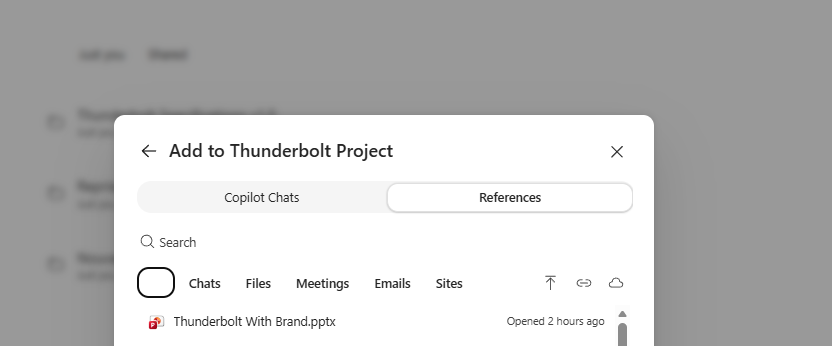
Add your sources via “Add”: switch to the “References” tab to pull from your Chats, Files, Meetings, Emails and Sites, or “Copilot Chats” to reuse past conversations.
- 4
Search and select each source to track (documents, email threads, meeting notes, SharePoint pages). The notebook becomes Copilot's reasoning scope.
- 5
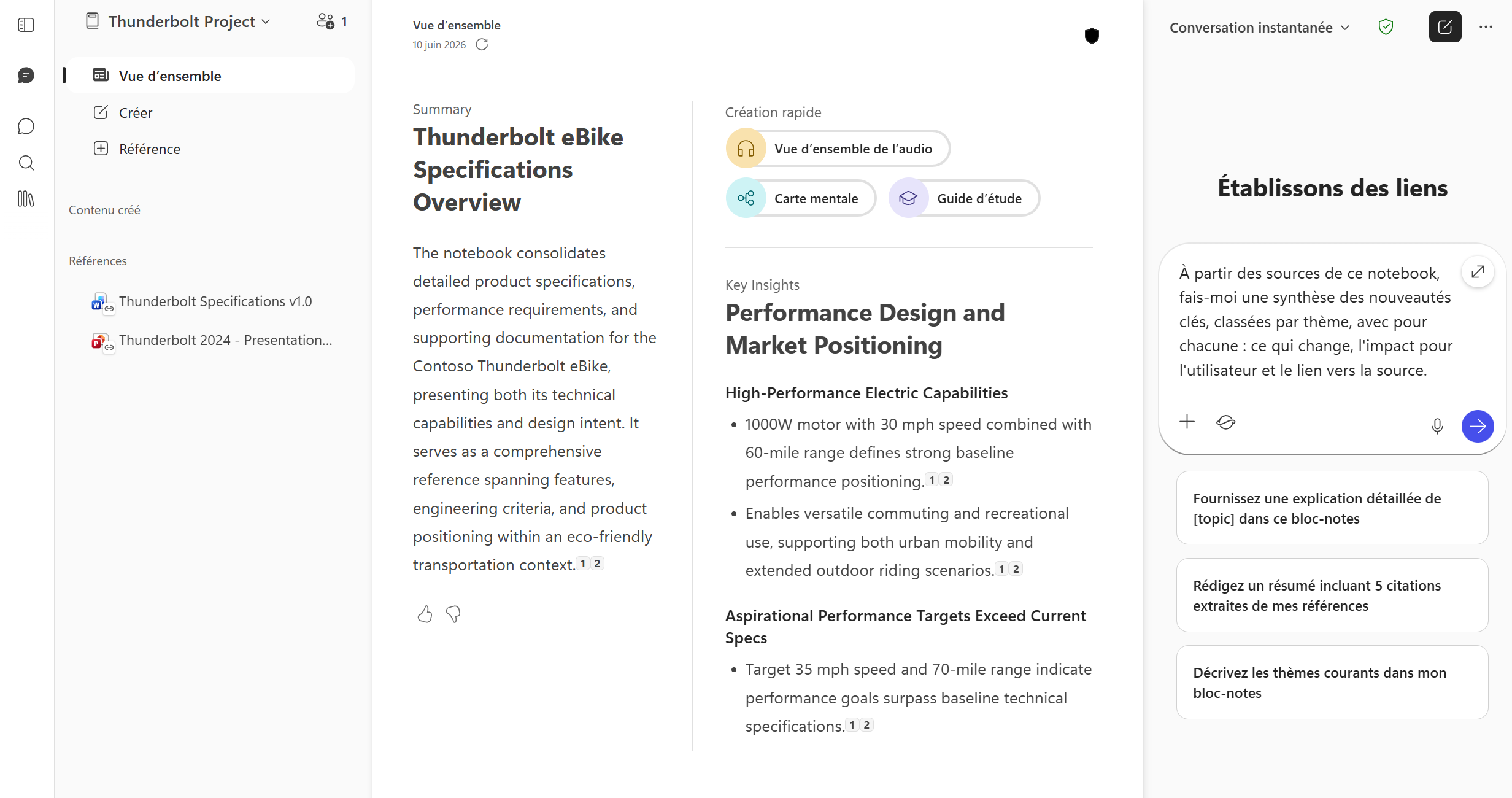
Ask your questions inside the notebook: Copilot answers based ONLY on the added sources, ideal to synthesize your watch, compare versions or generate a recap.
- 6
Grow the notebook over time: every new source or meeting added updates the context. Need more? “Open in OneNote” exports the content.
⚡ Prompt to copy
Using this notebook's sources, give me a synthesis of the key updates, grouped by theme, with for each: what changes, the user impact and the source link.
💬 Comments
No comments yet. Be the first!
✨ Discover more
PremiumQuick Create in Copilot Notebooks: which format should you choose?
Audio overview, Mind map, Study guide or Infographic: see how Quick Create turns the sources in your Copilot Notebook into formats that are easy to listen to, explore, learn from or share.
PremiumStudy guide in Copilot Notebooks: turn your sources into learning material
Summary, glossary, flashcards, quiz… Study guide is one of the Quick Create formats in Copilot Notebooks: it turns your sources into a real learning kit, so you can learn and check what you've retained. Here's how to create and use it, step by step.
PremiumCreate an infographic from Notebooks, based on your own content
Notebooks (which you can open straight from OneNote) does more than gather your sources: with a license, its « Create » menu generates a full infographic from the content referenced in your notebook. Here, we use the fictional « Thunderbolt » project to turn specs into a share-ready visual.