
 ChatEND USER4 min read
Use Copilot Notebooks without a license
Good news: Copilot Notebooks are now available without a Microsoft Copilot license. Bundle your sources, generate mind maps and study guides, and share everything with your colleagues.
✅ How to
- 1Available without a Copilot license
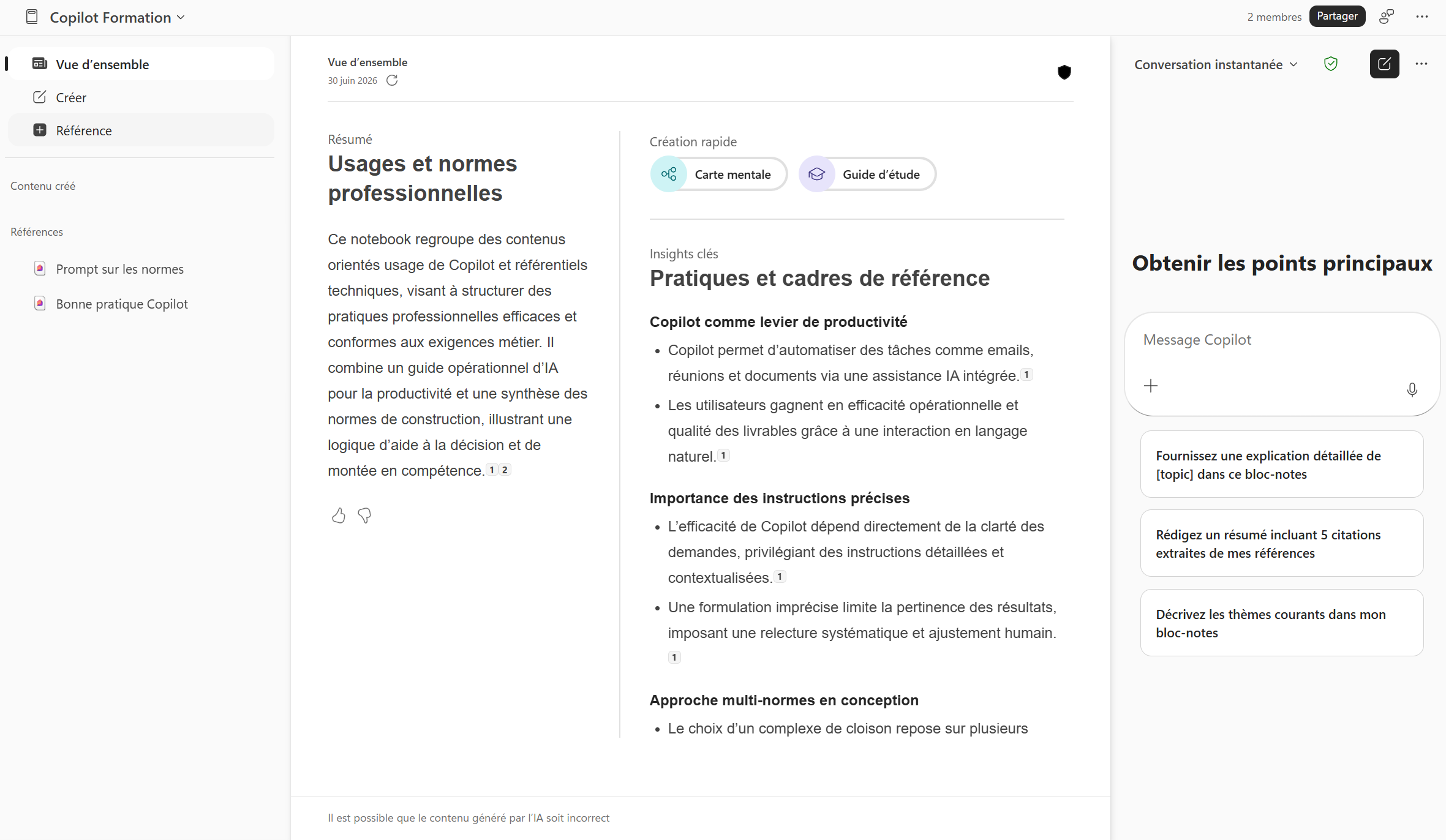
Copilot Notebooks are no longer limited to licensed users: they're now available in Copilot Chat, without a Microsoft Copilot license. A Notebook is a space dedicated to one topic, where Copilot reasons only over the sources you add to it.
- 2Where to find Notebooks (two possible paths)
No worries if you don't see them right away, there are two ways to get there depending on your version:
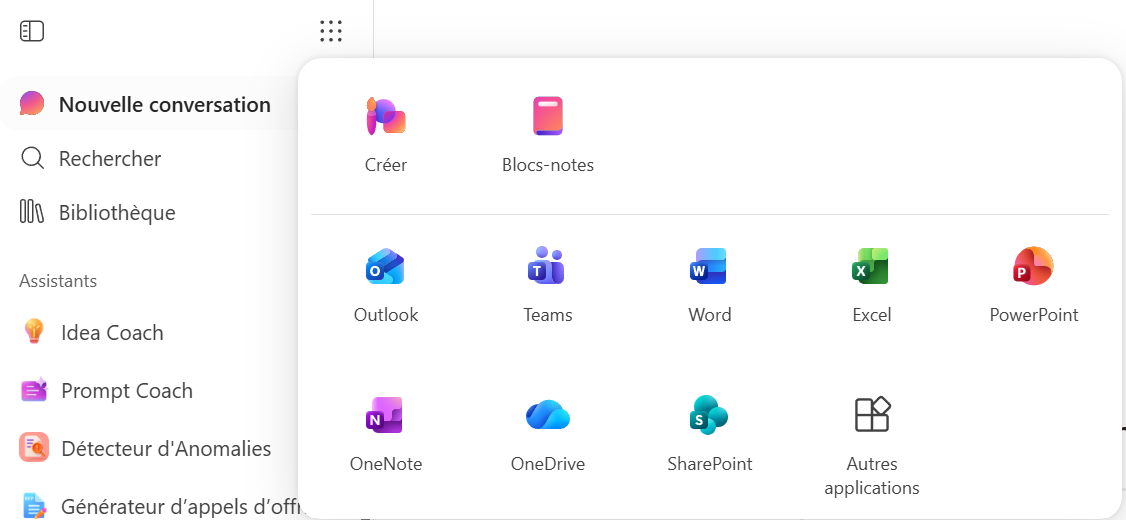
- Option 1, the « waffle »: click the grid icon (the 9 small dots) at the very top of your Copilot app, then pick « Notebooks » (« Blocs-notes » in French), as shown in the first screenshot.
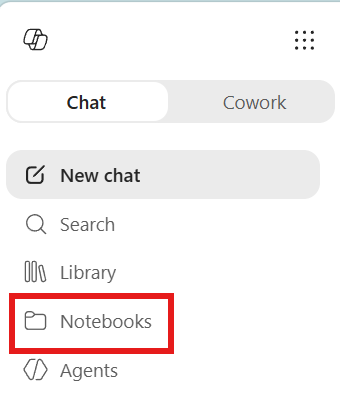
- Option 2, the left pane: depending on updates and your license, a « Notebooks » entry may also appear directly in the left menu, as shown in the second screenshot. Both lead to the same place.
- 3Add your reference sources
Feed your notebook with what you need: web pages, files (Word, Excel, PowerPoint, PDF) and emails can all be used as reference sources. Copilot then relies exclusively on that scope to answer you, ideal to work on a specific case without being drowned in everything else.
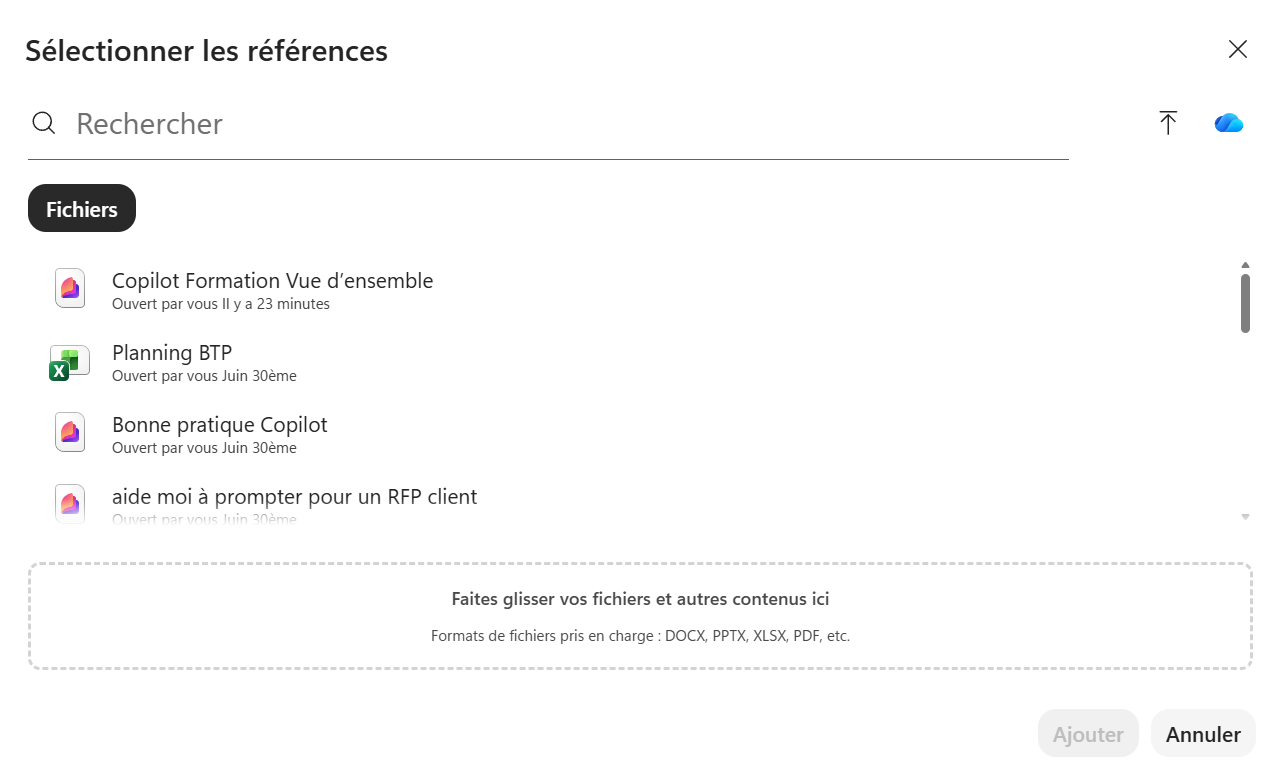
- 4Generate a mind map automatically
From the added sources, Copilot can automatically create a mind map that visually structures the key ideas and their links. Perfect to step back on a topic or prepare a presentation.
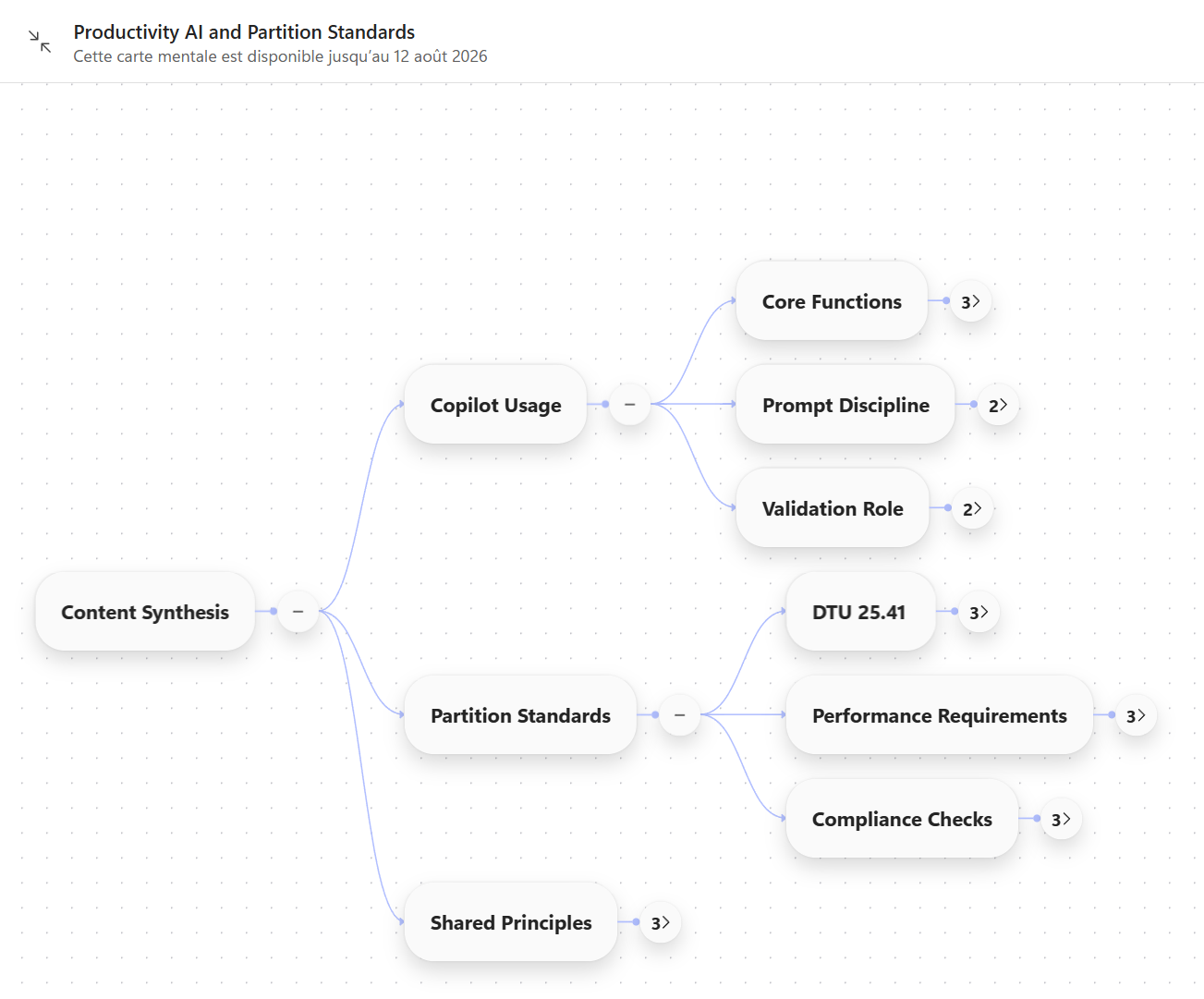
- 5Create a study guide
Need to absorb or share a topic? Ask for a study guide: Copilot synthesizes your sources into a clear learning aid, with the essentials to remember.
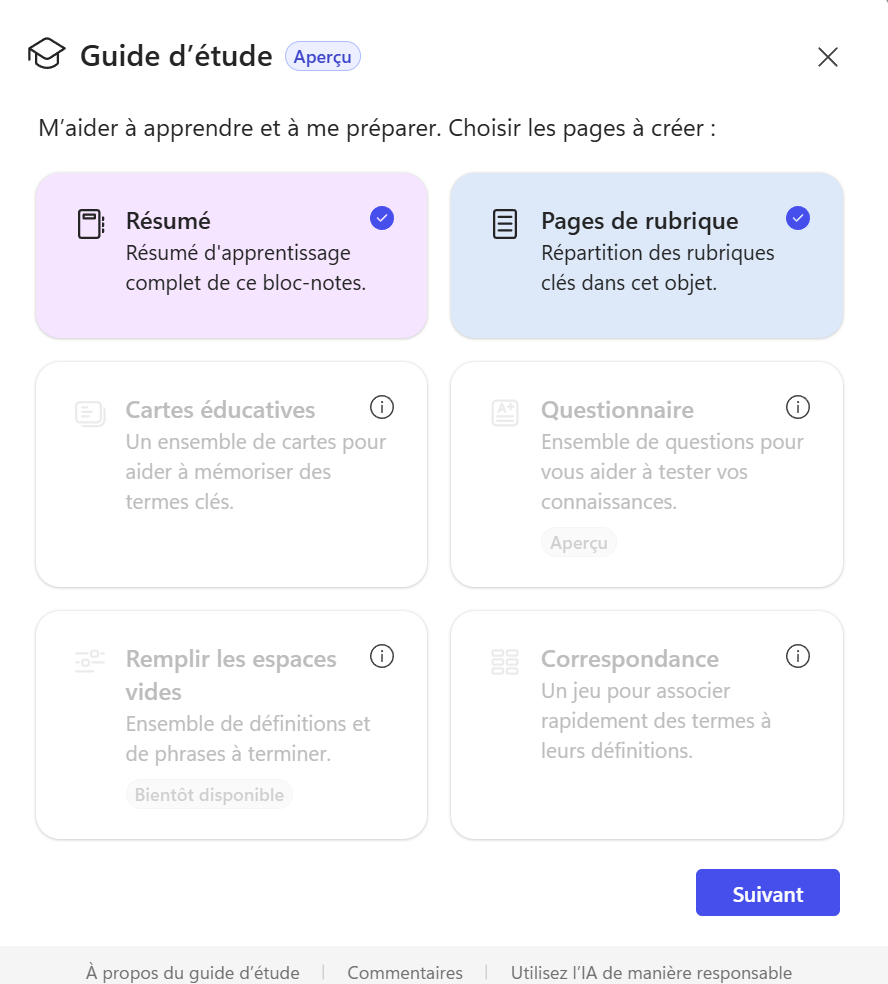
- 6Share your notebook
A notebook can be shared with other users: everyone works on the same source scope and benefits from the shared context. Handy for a team project, a shared watch or an onboarding.
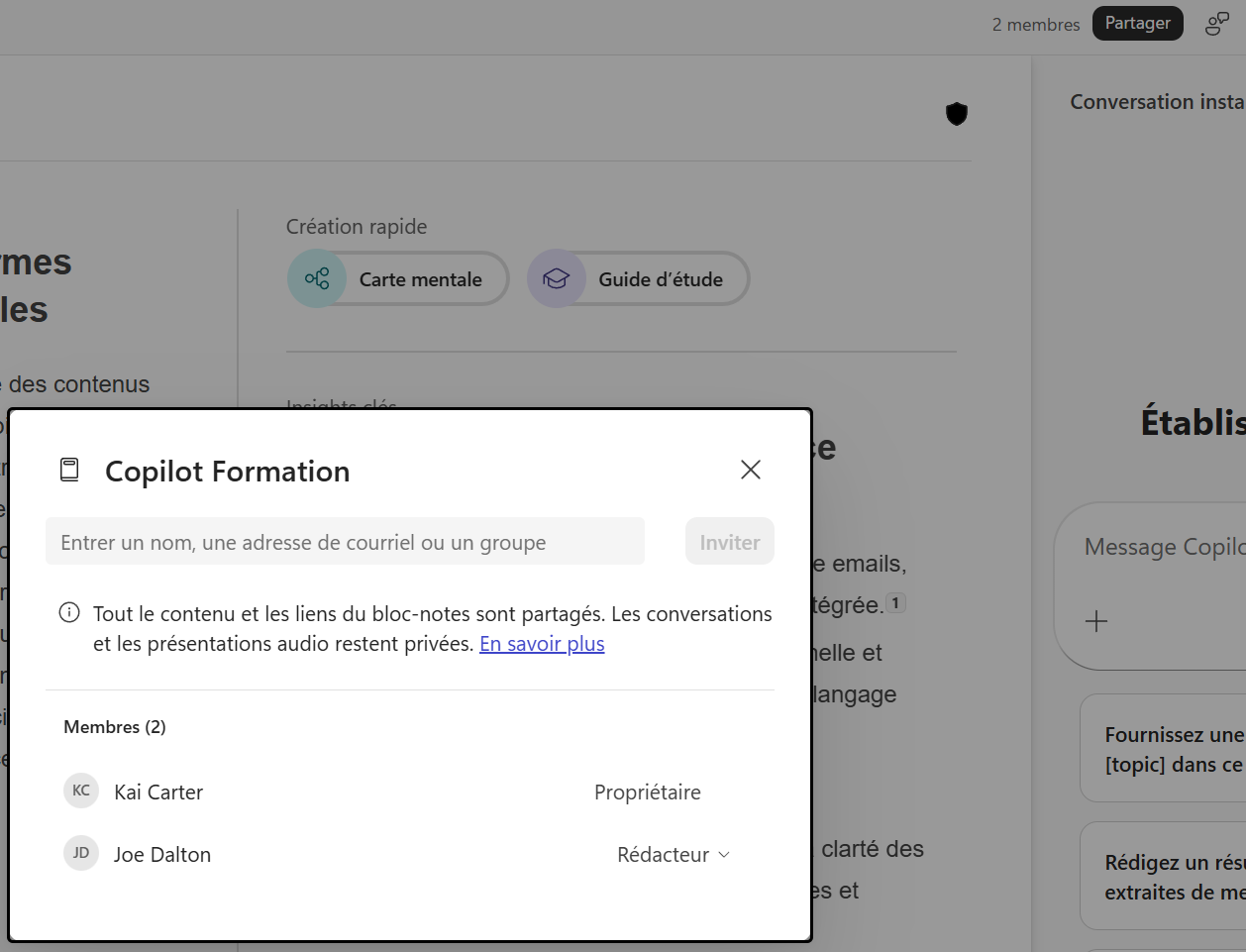
💬 Comments
No comments yet. Be the first!
✨ Discover more
PremiumQuick Create in Copilot Notebooks: which format should you choose?
Audio overview, Mind map, Study guide or Infographic: see how Quick Create turns the sources in your Copilot Notebook into formats that are easy to listen to, explore, learn from or share.
PremiumStudy guide in Copilot Notebooks: turn your sources into learning material
Summary, glossary, flashcards, quiz… Study guide is one of the Quick Create formats in Copilot Notebooks: it turns your sources into a real learning kit, so you can learn and check what you've retained. Here's how to create and use it, step by step.
ChatSave a prompt to reuse it in one click
Saving a prompt lets you store an instruction you use regularly so you can find it in one click, without rewriting it. Available with or without a Copilot license, it's the habit that saves time and standardizes usage.