
 PremiumEND USER5 min read
Create a Brand Kit for on-brand presentations
Define logos, colors, fonts and brand voice once from the Microsoft Copilot app: Copilot then generates presentations that respect your brand.
✅ How to
- 1
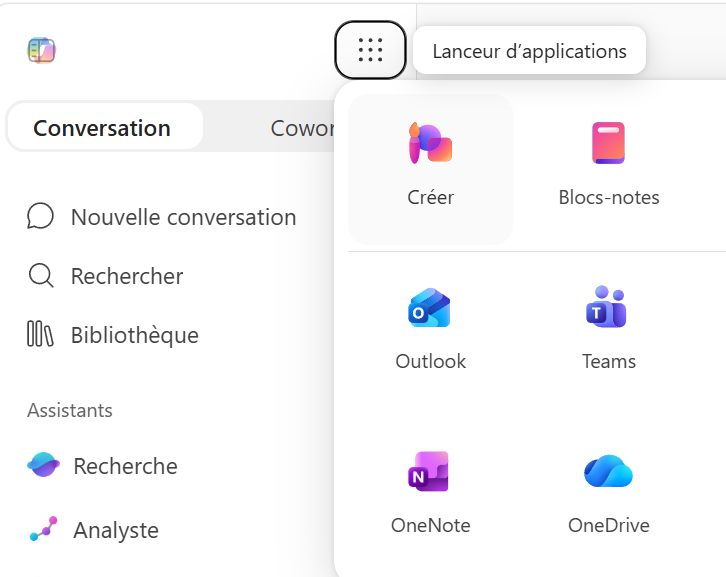
From the Microsoft Copilot app, click Create in the left-hand menu.
- 2
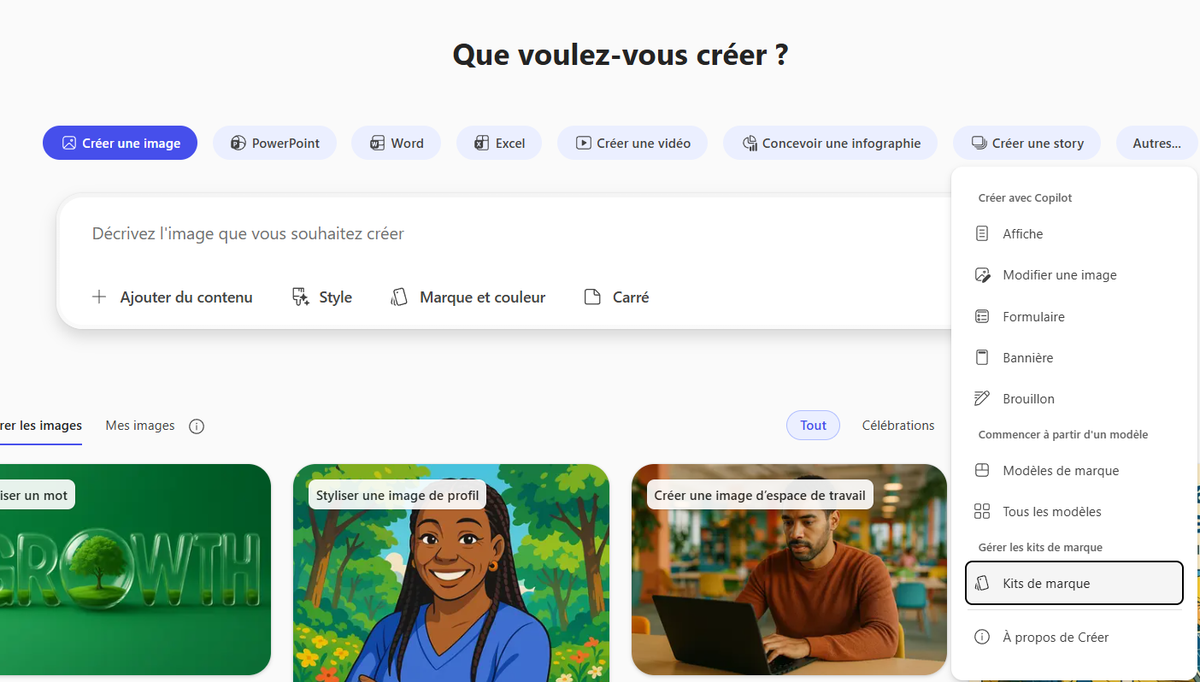
Click More…, then select Brand kits.
- 3
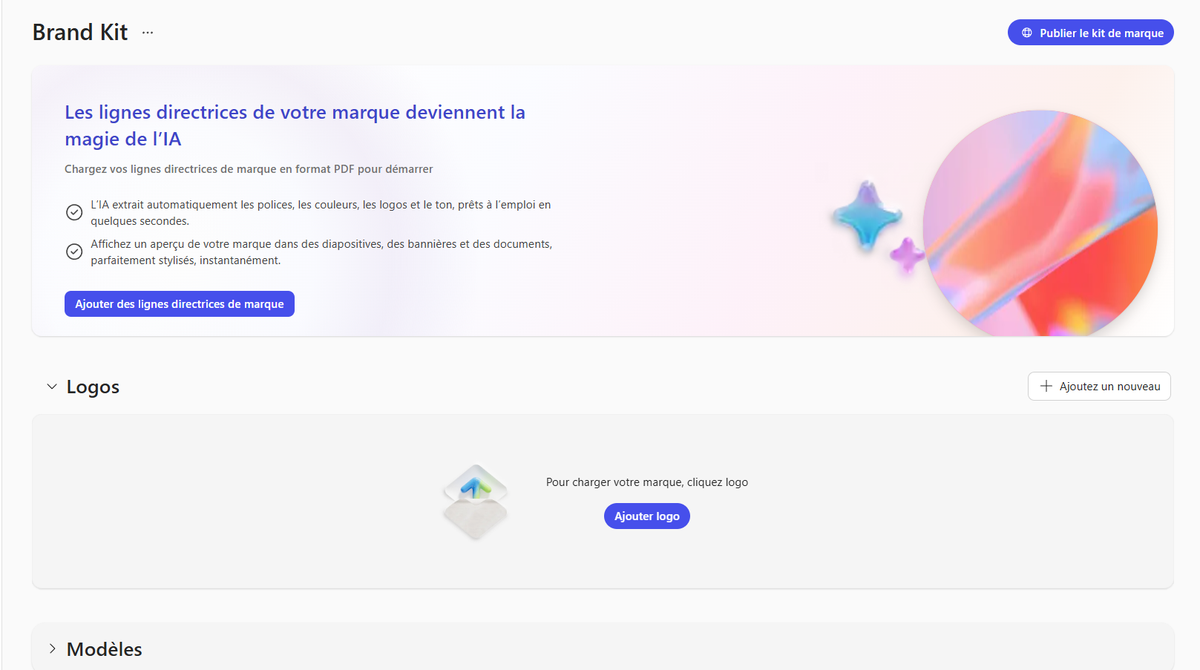
Click + New Brand kit, name your kit, configure the elements, then Save / Publish.
- 4
Configure the kit elements:
- Logos: Primary logo, secondary logos and variants (color, white…).
- Color: Official colors with their precise HEX codes.
- Fonts: Typography (headings, body), .ttf / .otf files.
- Images & Icons: Approved photos, graphics and icons, aligned to the brand style.
- Templates: PowerPoint templates (.pptx) with representative example slides.
- Brand voice: The brand's personality and tone.
- Style: Style of images/icons/illustrations (examples or description).
- 5
💡 AI tip: by uploading a template and a PDF guideline, Copilot automatically extracts colors, fonts and rules, you just review and adjust.
- 6
Skills: add custom tasks to your Brand Kit
The « Skills » section lets you add reusable capabilities that teach Copilot tasks tailored to your brand. Select « Add new », give the Skill a name and description, then write its instructions. For example, « brand-kit-powerpoint » can guide Copilot to create or rework a presentation using your organization's template, colors and style.
Skills load only when they are needed. Scripts run in an isolated environment, sensitivity labels (MIP) are preserved and existing governance controls continue to apply.
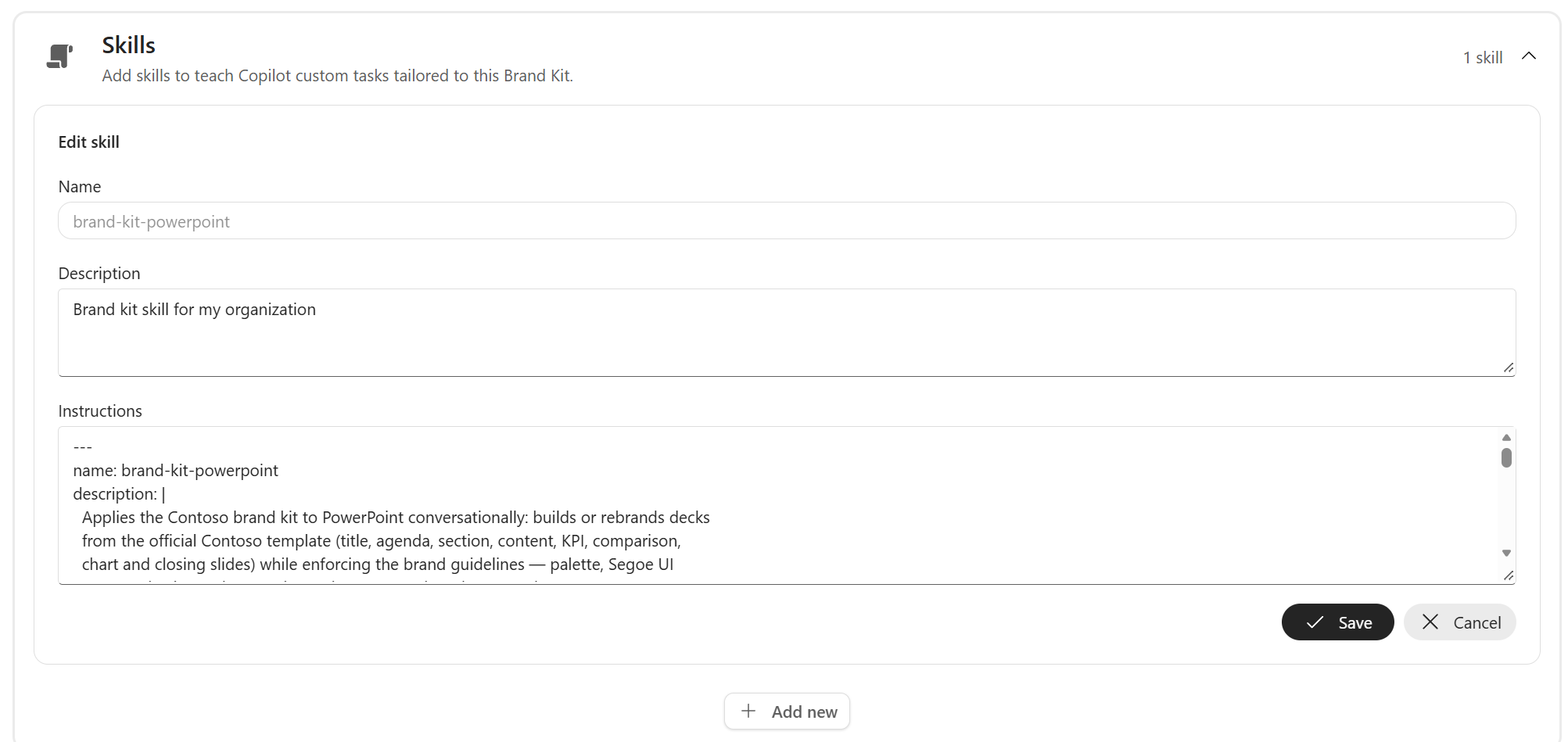
In the Brand Kit's Skills section, set the Skill's name, description and instructions.
- 7
Information point:
- Personal / Shared kit: your changes are saved automatically. A Shared kit is distributed via the Share button (pick the people when sharing).
- Official kit: the Publish button makes it visible to the whole organization, reserved for Brand managers (activation ≤ 24 h after designation by the admin).
⚡ Prompt to copy
Create an 8-slide deck about [topic] using our brand kit. Structure: title, context, 3 key messages, proof/figures, customer case, next steps, contact.
💬 Comments
No comments yet. Be the first!
✨ Discover more
PremiumUse a brand kit from Copilot in PowerPoint
Once your brand kit is available, apply it in one click in PowerPoint via the Copilot pane: colors, fonts, images and brand voice are applied automatically to your slides.
PremiumDeploy official Brand Kits (IT side)
Enable tenant-wide “Official” Brand Kits: create the Brand Managers security group and configure the policy in config.office.com.
 Premium
Quick Create in Copilot Notebooks: which format should you choose?
Audio overview, Mind map, Study guide or Infographic: see how Quick Create turns the sources in your Copilot Notebook into formats that are easy to listen to, explore, learn from or share.