
 PremiumEND USER3 min read
Use a brand kit from Copilot in PowerPoint
Once your brand kit is available, apply it in one click in PowerPoint via the Copilot pane: colors, fonts, images and brand voice are applied automatically to your slides.
✅ How to
- 1
Open the Copilot pane in PowerPoint (Copilot button in the Home ribbon), on Windows, Mac or the web, when creating or formatting a presentation.
- 2
Start “Create a presentation” (or “Format”), then open the “+” menu: the pane offers the Select brand option.
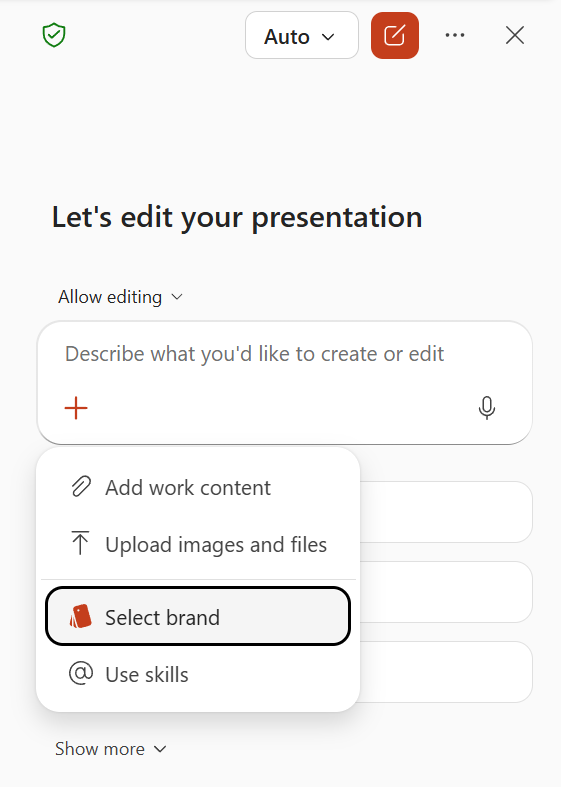
- 3
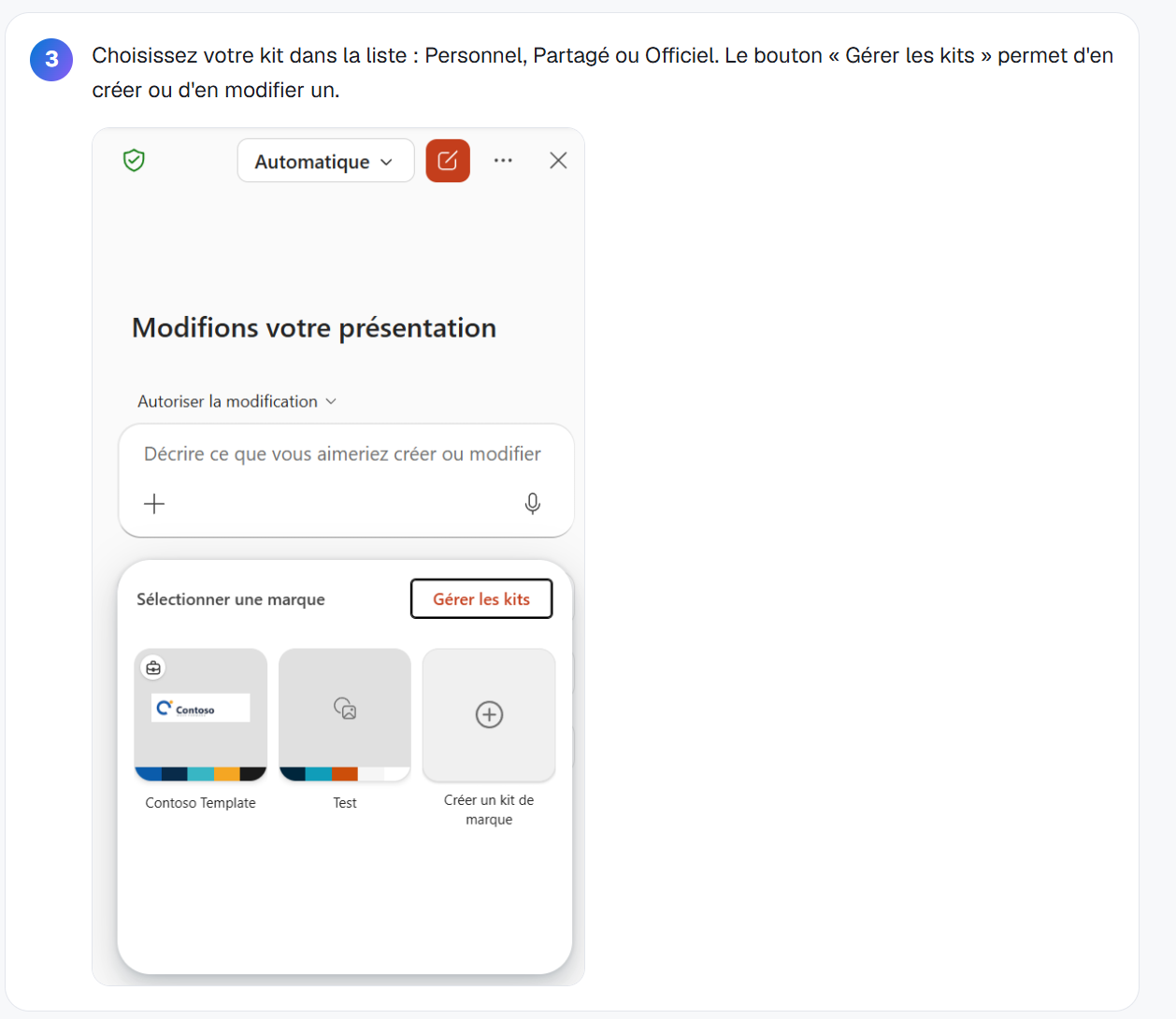
Pick your kit from the list : Personal, Shared or Official. An « Official » kit (approved by your organization) is recognizable by the small briefcase shown at the top of its thumbnail: the other kits, personal or shared, have no icon. The “Manage brand kits” button lets you create or edit one.
- 4
Copilot generates the slides from your template and automatically applies colors, fonts, images and brand voice.
- 5
💡 Good to know: Copilot relies first on the example slides in your template. The more varied layouts your template contains (Title, Agenda, Content, Data-viz, Q&A, Conclusion…), the more faithful the result is to your brand.
⚡ Prompt to copy
Create an 8-slide presentation about [topic] applying my brand kit [kit name]: a title slide, an agenda, 4 content slides with a visual, one data-viz slide and a conclusion with a call to action.
💬 Comments
No comments yet. Be the first!
✨ Discover more
PremiumCreate a Brand Kit for on-brand presentations
Define logos, colors, fonts and brand voice once from the Microsoft Copilot app: Copilot then generates presentations that respect your brand.
PremiumDeploy official Brand Kits (IT side)
Enable tenant-wide “Official” Brand Kits: create the Brand Managers security group and configure the policy in config.office.com.
 Premium
Quick Create in Copilot Notebooks: which format should you choose?
Audio overview, Mind map, Study guide or Infographic: see how Quick Create turns the sources in your Copilot Notebook into formats that are easy to listen to, explore, learn from or share.