
 PremiumIT PRO6 min read
Deploy official Brand Kits (IT side)
Enable tenant-wide “Official” Brand Kits: create the Brand Managers security group and configure the policy in config.office.com.
✅ How to
- 1
Prerequisites: a Microsoft Copilot (Premium) license assigned to each future Brand Manager, and admin rights to create a group and configure config.office.com. Without the policy, no one sees the “Official” term or the “Publish” button.
- 2
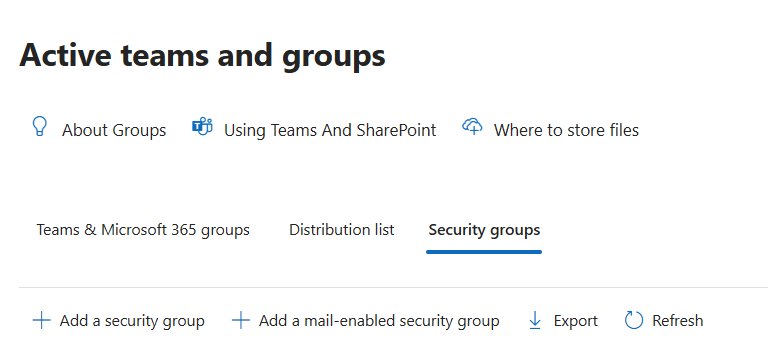
In admin.microsoft.com: Teams & groups›Active teams & groups, open the “Security groups” tab, then click “+ Add a mail-enabled security group”. ⚠️ A Team / M365 group, a plain security group or a distribution list will NOT work (you'll get “policy has been incorrectly configured”).
- 3
Name the group (e.g. “Brand Managers”), add every account that will publish/edit as MEMBERS (owners do NOT get publish rights), then note the group's primary email address.
- 4
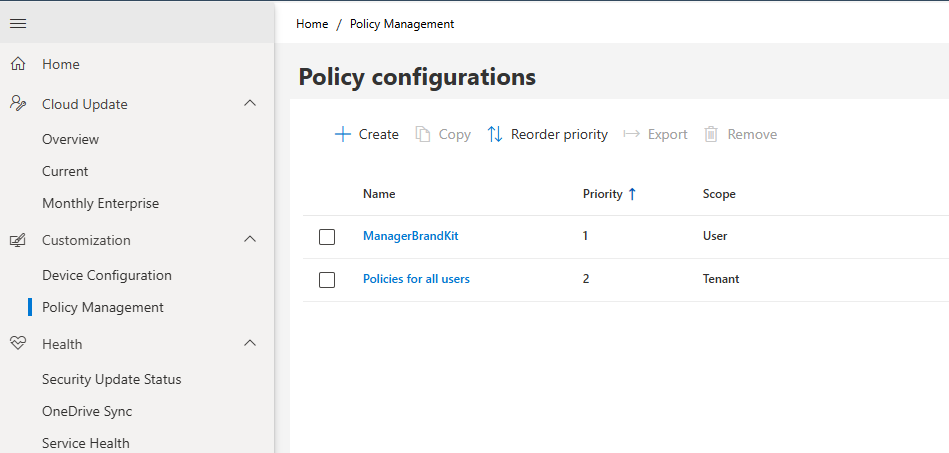
In config.office.com: Customization›Policy Management, create or open a configuration with the scope “Apply to all users” (Tenant).
- 5
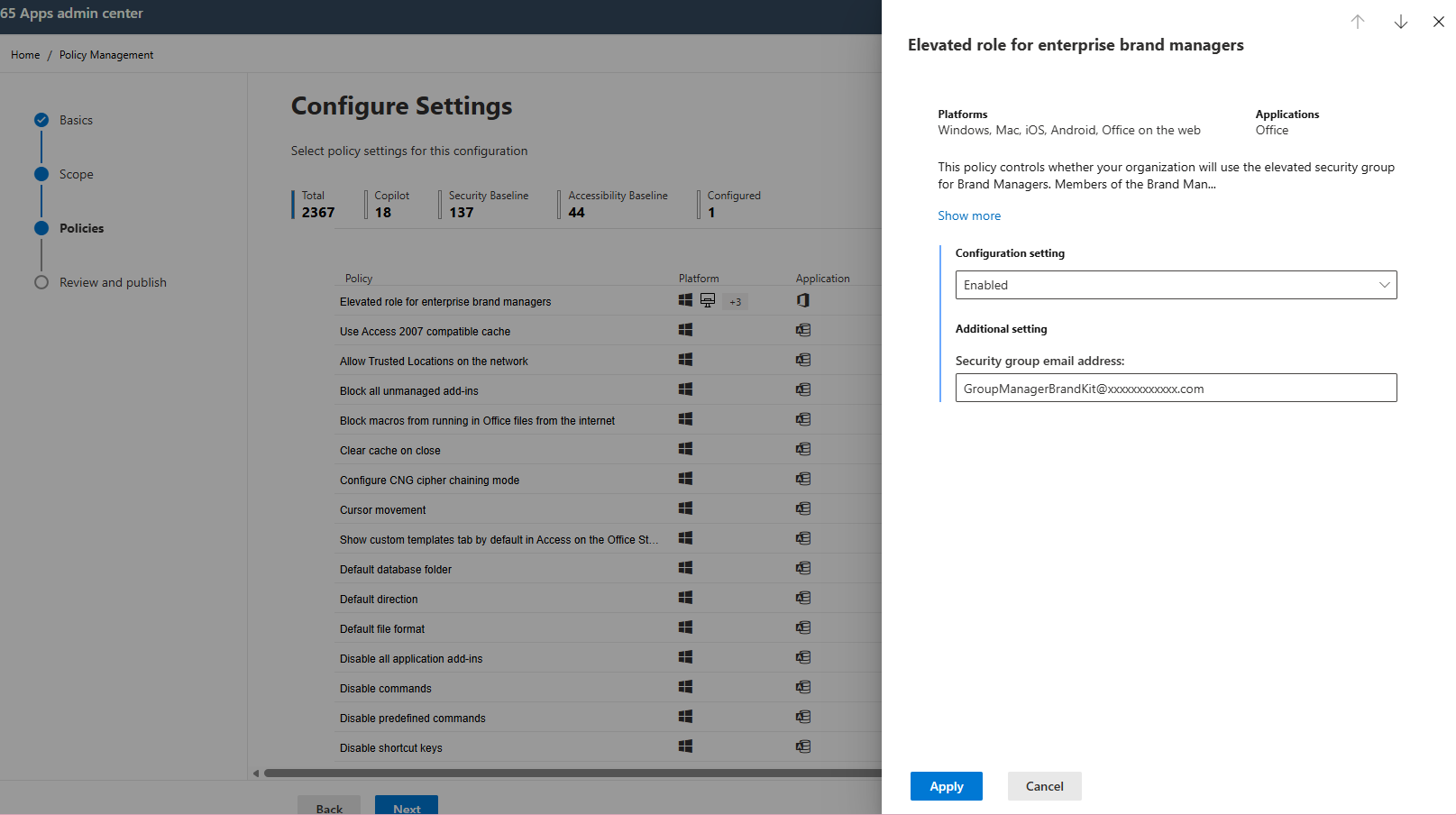
Policies tab: search “Brand Manager”, then open “Elevated role for enterprise brand managers”. Set Configuration setting to “Enabled” and paste the exact group email into “Security group email address”, then Apply.
- 6
Review and Publish, then Done. Leave Priority = 1 (highest priority with a single config; “0” isn't assignable). Allow up to 24 h of propagation, each change restarts the timer, so avoid re-editing while waiting.
- 7
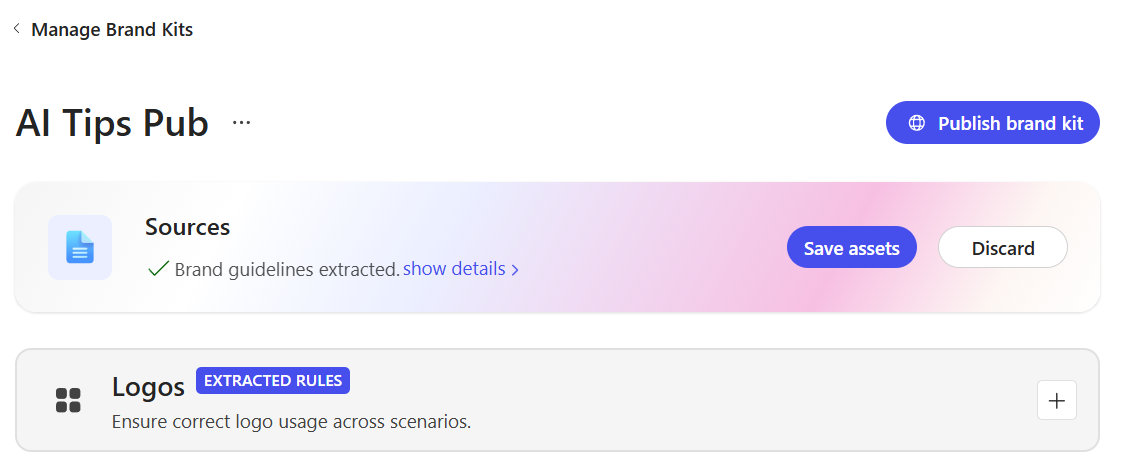
Verify (microsoft365.com): Create›More›Brand kits. For a group member, the “Official” term and the “Publish” button should now appear.
- 8
Troubleshooting: “Policy has been incorrectly configured” → wrong group type, scope ≠ Tenant or wrong email. “You do not have permission to publish” → account is owner but not member, or propagation < 24 h. No “Official” → policy not Enabled, missing Copilot license, or propagation in progress.
💬 Comments
No comments yet. Be the first!
✨ Discover more
PremiumUse a brand kit from Copilot in PowerPoint
Once your brand kit is available, apply it in one click in PowerPoint via the Copilot pane: colors, fonts, images and brand voice are applied automatically to your slides.
PremiumCreate a Brand Kit for on-brand presentations
Define logos, colors, fonts and brand voice once from the Microsoft Copilot app: Copilot then generates presentations that respect your brand.
 Premium
Microsoft 365 Admin Agent: run your tenant in natural language
The Microsoft 365 Admin Agent is an agentic assistant for IT administrators: instead of navigating ten portals, you ask in natural language (« how many Copilot licenses are available? », « is Teams down? »), and the agent queries, recommends and proposes actions, always with your confirmation.