
 PremiumEND USER5 min read
Discover Copilot Cowork
Cowork is where Copilot goes from an assistant that answers to a teammate that gets things done. You hand it a broad task, it breaks it down, works step by step, and comes back to you when it needs a green light. Here's how to get comfortable with it.
✅ How to
- 1So what exactly is Cowork?
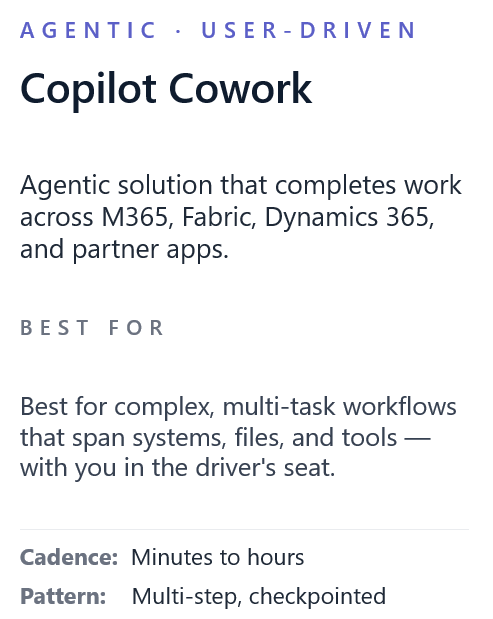
Until now, you asked Copilot a question and it answered right away. With Cowork, the posture shifts: you hand it a mission, not just a question.
In practice, Copilot works « alongside you » on tasks that take several steps: gathering information, producing a first draft, structuring it, then refining it. You stay in control, it does the heavy lifting.
- 2It breaks the work down on its own
Instead of doing everything in one go, Cowork turns your request into an action plan. You watch the steps unfold, what's done, what's left to do.
That transparency changes everything: no more black box spitting out a result, but a teammate showing its reasoning, one you can step into at any time.
- 3You stay in the driver's seat
Cowork doesn't run fully autonomous without a safety net. At key moments it pauses and asks for your input: approve a direction, pick between two options, confirm before going further.
You can redirect it, course-correct, add a constraint. You decide the level of delegation, step after step.
- 4When should you use it?
Cowork shines on longer tasks, the ones you tend to put off: preparing a full brief, roughing out an analysis from several sources, building the outline of a deliverable, getting across a topic before a meeting.
For a quick answer, classic chat is enough. For a mission that would have taken half a day, Cowork takes over.
- 5What to remember
Cowork is Copilot moving from « I answer » to « I'll handle it ». You hand over a mission, it breaks it down, works through it, and comes back for your approval at the important moments. Think of it as an efficient junior teammate: you frame it, it executes, you validate. The best of both worlds, your judgment and its ability to power through the work.
💬 Comments
No comments yet. Be the first!
✨ Discover more
PremiumCowork in practice: a multi-task prompt and tracking credits with /cost
You know Cowork, now let's see it in action. An example prompt that chains several tasks at once, the right reflex to choose between Cowork and classic Copilot, and the /cost command to see how many credits your request used.
PremiumAutomate your Copilot watch: a monthly « What's New » generated and sent by Cowork
Cowork's real superpower is running a recurring mission for you. Here's a ready-to-schedule prompt that, every month, reads the « What's New in Microsoft Copilot » article on the Microsoft Community Hub, produces a structured summary, then emails it in a branded layout and posts it to your Teams channels.
PremiumCowork: understanding value consumed, not price
Cowork isn't reasoned about like one more license, but like value consumed: you pay for the work actually done. Let's look at the four-building-block framework, how to classify missions (Light, Medium, Heavy) to size a budget, why pay-as-you-go is interesting, and how to spot your best use cases.