
 PremiumEND USERIT PRO7 min read
The Frontier program: early access to Microsoft Copilot
Frontier is your door to the next Copilot features, ahead of everyone else. Here's a clear rundown of this early-access program: what it is, who it's for, how IT turns it on (with screenshots), how to spot a Frontier feature with real examples, its benefits and its caveats.
✅ How to
- 1So what exactly is Frontier?
Frontier is the early-access program for Microsoft Copilot. In practice, it lets you try experimental AI features and agents before their general availability (GA), and share feedback to help shape the product.
The idea is simple: get ahead on the next Copilot capabilities, in a controlled setting, and send your feedback straight to Microsoft's product teams. The infographic below sums up the whole program at a glance.
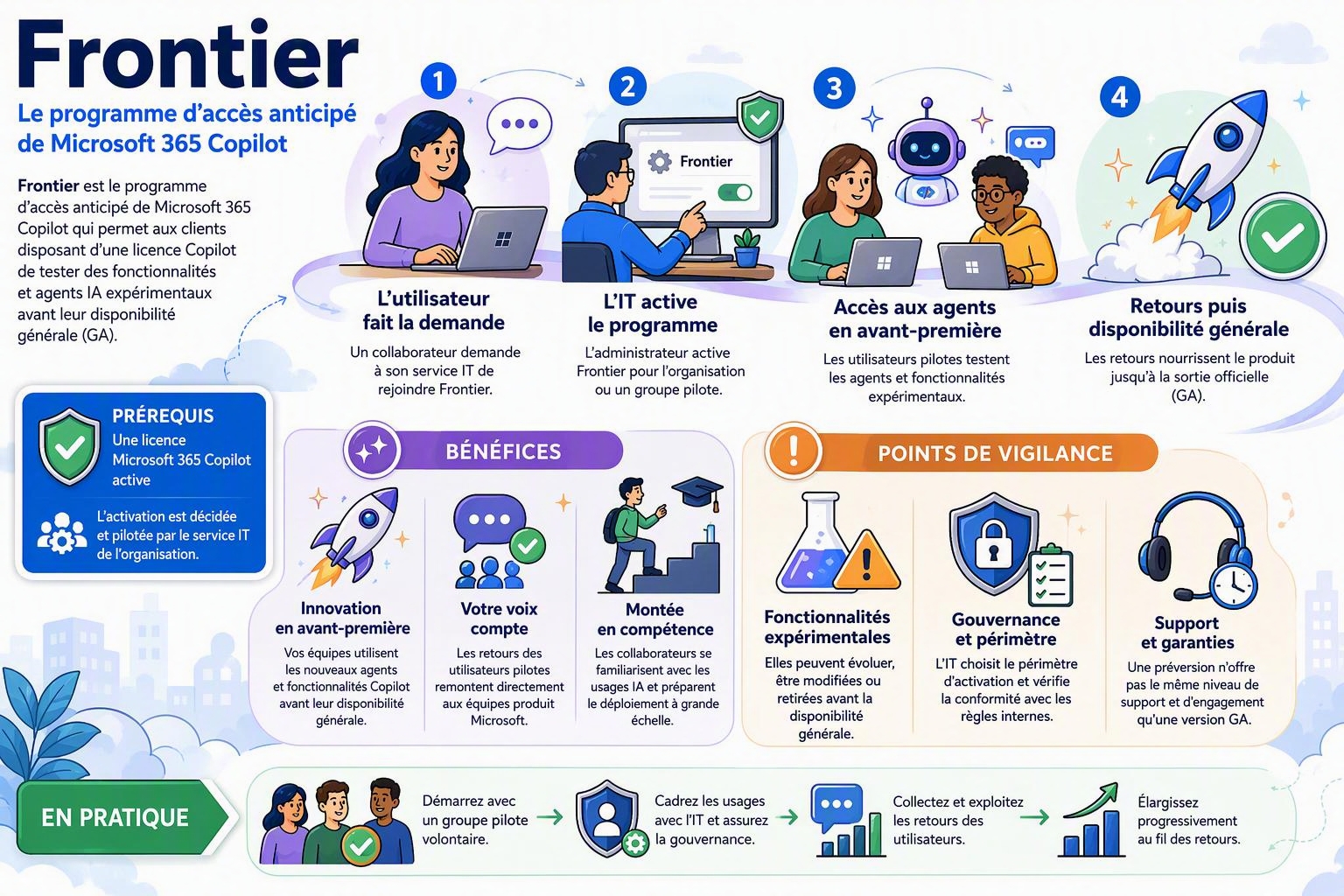
Overview of the Frontier program: prerequisite, steps, benefits and caveats.
- 2Who is Frontier for?
In a business, Frontier is reserved for users who have a Microsoft Copilot license. IT decides and drives activation, at the tenant level. This is what most organizations deal with, and it's the focus of this article.
- 3The prerequisite: an active Microsoft Copilot license
The rule is clear: without an active Microsoft Copilot license, no Frontier feature shows up for the user. The license is the entry ticket, and it's also what gates access once IT has turned the program on.
- 4Where IT turns Frontier on
In an organization, activation isn't in the user's hands: the administrator turns it on. The path is simple: Microsoft 365 admin center›Copilot›Copilot Frontier. It's the « Enable exclusive early access program in your organization » row.
As for roles, you need to be an AI Admin, Security Admin or Office Apps Admin. For desktop and mobile apps (Word, PowerPoint, Excel), you also need to enroll users in the Microsoft 365 Insider program and pick the Beta Channel.
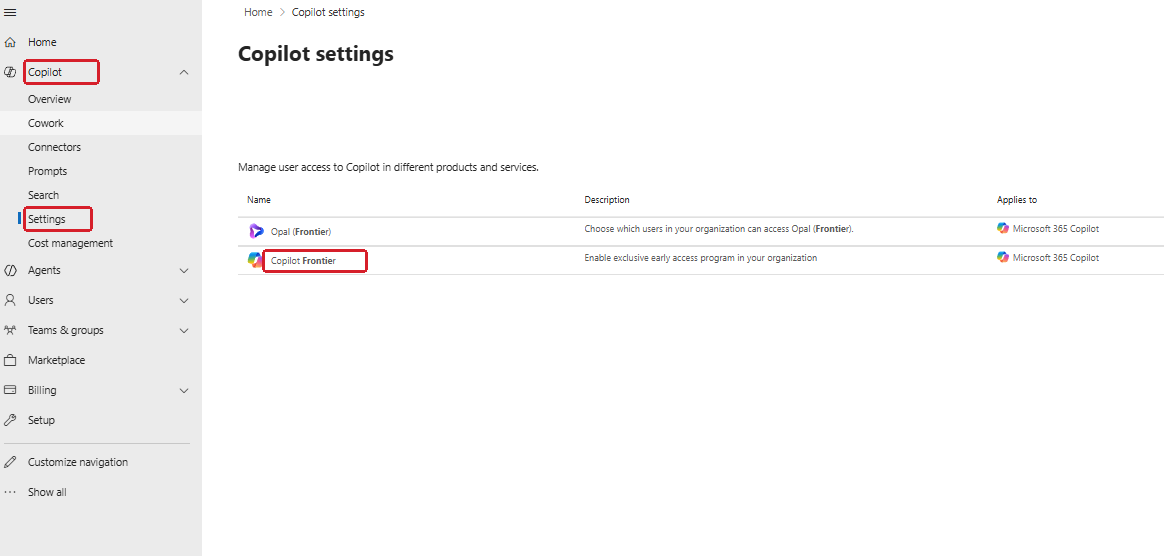
The setting lives in the Microsoft 365 admin center: Copilot › Copilot Frontier.
- 5Choosing who gets access: three levels
When you open « Copilot Frontier », a « Turn on Frontier features » panel offers three access levels:
- No access: this is the default, nothing is enabled.
- All users: open to the whole tenant.
- Specific users and groups: a targeted pilot group, via Microsoft Entra ID users or groups.
Two details to keep in mind, visible on the screenshot: these users must have a Microsoft Copilot license, and activation can take up to 3 hours to propagate.
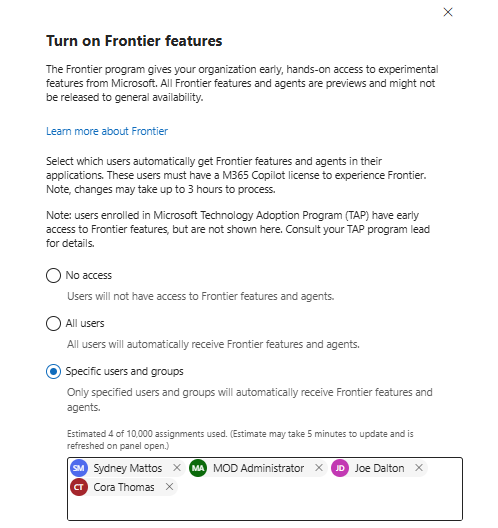
The « Turn on Frontier features » panel: pick the access scope (none, all, or targeted users and groups).
- 6The journey, step by step
From request to general availability, the path unfolds in four moments:
- 1. The user makes the request: a team member asks their IT department to join Frontier.
- 2. IT turns the program on: the administrator opens access for the organization or a pilot group. There is no self-enrollment on the organization side, IT is the one who enrolls.
- 3. Early access to what's new: pilot users try the experimental agents and features.
- 4. Feedback, then general availability: the feedback feeds the product until its official release (GA).
- 7Spotting a Frontier feature
Inside the Microsoft Copilot app, program items are recognizable by their tag. Agents carry the « (Frontier) » label at the end of their name (Agents›Built by Microsoft), and some settings too (like a « Chat history (Frontier) » toggle). You'll also come across « (Preview) » variants for other features in preview.
A few real examples, shown below:
- App Builder (Frontier): turn an idea into an app, with no code.
- Frontline Agent (Preview): an assistant that helps frontline workers find the right information.
- Chat history (Frontier): let Copilot draw on your past chats to personalize its responses.
Keep in mind these features are in preview and subject to change. Since March 29, 2026, newly published Frontier agents are only available to users enrolled in the program.
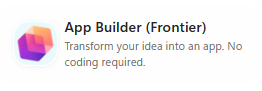
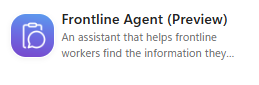

Real examples: Frontier (and Preview) items are tagged right inside the app.
- 8From Frontier to general availability
A Frontier feature isn't meant to stay there: it gets tested, tuned thanks to feedback, then, if it delivers, released to everyone as generally available. A telling example: Copilot Cowork. Described by Microsoft as the fastest-growing feature in Frontier's history, it stayed in Frontier for about three months (from March 2026) before reaching general availability on June 16, 2026. Interesting detail: some capabilities (such as browser automation via Edge) stayed Frontier-only even after GA.
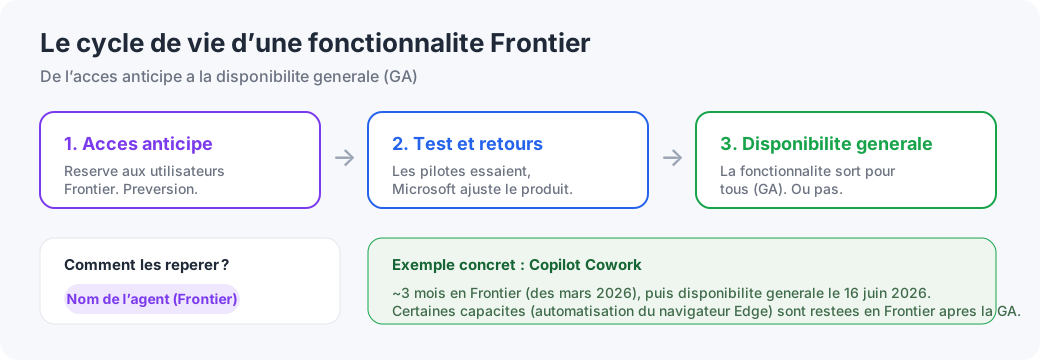
From early access to general availability, with the Copilot Cowork example.
- 9The benefits
Why join the program? Three main gains:
- Early innovation: your teams use the new agents and features before general availability.
- Your voice counts: pilot users' feedback goes straight to Microsoft's product teams and shapes what comes next.
- Upskilling: staff get familiar with AI usage early and prepare a larger-scale rollout.
- 10The caveats
Early access comes with a flip side. Three things to watch:
- Experimental features: they may evolve, change or be removed before general availability. Don't build a critical process on top of them.
- Governance and scope: IT chooses who gets access and checks compliance with internal rules. It's a space to frame, not to open wide by default.
- Support and guarantees: a preview doesn't offer the same level of support and commitment as a GA release.
- 11In practice: how to get off to a good start
The right approach comes down to four reflexes:
- Start with a volunteer pilot group, rather than opening it to the whole tenant.
- Frame usage with IT and ensure governance (scope, compliance, data).
- Collect and act on user feedback, that's where the program's whole value lies.
- Expand gradually, as feedback comes in and features mature.
Key takeaway: in a business, Frontier is not a box to tick lightly. It's an IT-framed testing space, ideal to get ahead on the next Copilot capabilities, as long as you stay on a pilot scope and accept the experimental nature of the features. Status as of September 17, 2026, subject to change.
📚 Official sources
💬 Comments
No comments yet. Be the first!
✨ Discover more
PremiumA guided tour of the Microsoft Copilot interface
You open Copilot, you see a text box, and you have no idea what's hiding all around it. Here's a guided tour, button by button, of the licensed Microsoft Copilot app: the two Chat and Cowork spaces, the model picker, Work IQ, the Library, Notebooks and everything else.
 Premium
Set up Copilot usage tracking with the Copilot Dashboard
Turn on the Copilot Dashboard “out of the box” in a few clicks from the M365 admin center, check your org chart, then move to custom reports and Power BI only if needed.
PremiumTrack your Copilot rollout with Copilot Dashboard
To steer adoption, the Copilot Dashboard (enabled via Viva Insights) is the best fit: track Copilot Chat and Microsoft Copilot, per app and more granularly than the native reports.