
 ChatIT PRO4 min read
Organization prompts: structure and reuse your Copilot interactions
Available with and without a Copilot M365 license: publish prompts at the organization level to give your users ready-to-use, consistent and reusable starting points.
✅ How to
- 1Why organization prompts?
A well-crafted prompt can be reused by the whole company. Rather than letting everyone reinvent their wording, IT can publish validated, consistent prompts aligned with business usage, a real adoption accelerator. It works whether your users have a Copilot M365 license or not.
- 2Publish from the M365 admin portal
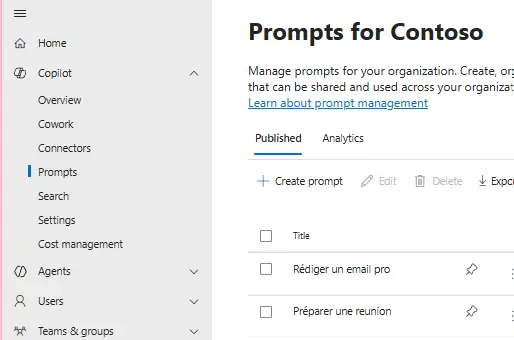
Go to the M365 admin portal (admin.cloud.microsoft), Copilot›Prompts section. There you manage your organization's prompts: create one via “Create prompt”, give it a clear title (e.g. “Write a professional email”, “Prepare a meeting”), then publish it. The “Analytics” tab gives you a view of their usage.
- 3Fill in the prompt card
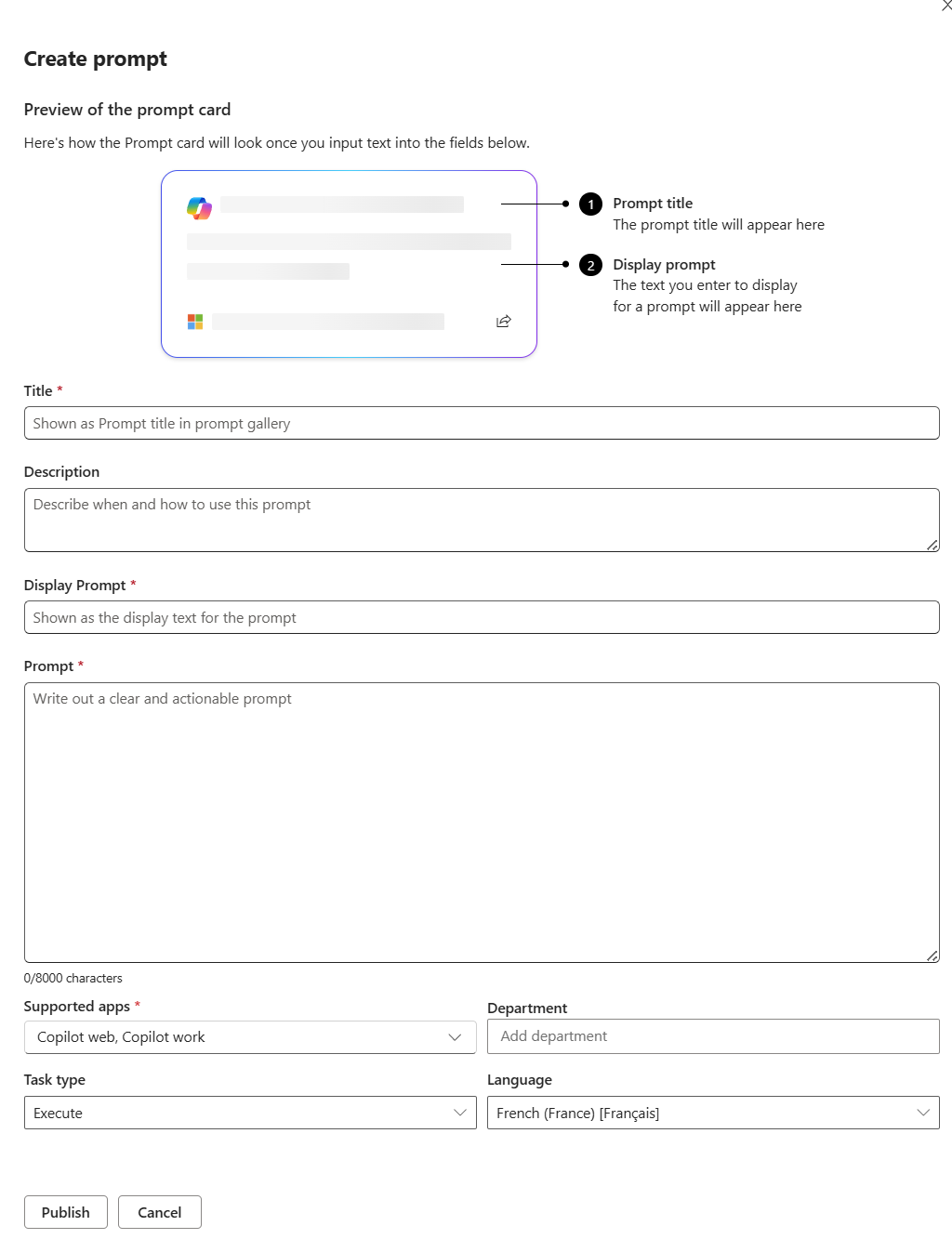
The “Create prompt” panel shows a preview of the card at the top, then the fields to complete:
- Title: the title shown in the prompt gallery (required).
- Description: when and how to use this prompt, to guide the user.
- Display Prompt: the short text shown on the card (required).
- Prompt: the full, clear and actionable prompt (up to 8000 characters, required).
- Supported apps: the surfaces where it appears, Copilot web / Copilot work… (required).
- Department, Task type (Execute…) and Language: to target and classify the prompt by role, task type and language.
Once the card is filled in, click “Publish” to make it available to your users.
- 4User side: the prompt lab
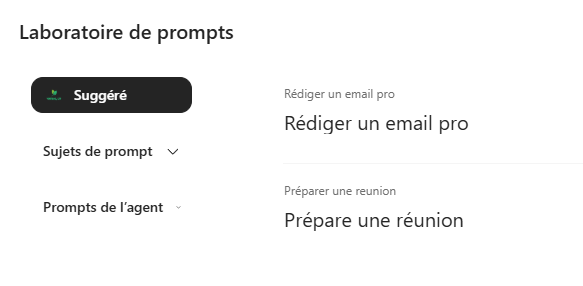
Once published, these prompts appear for your users in Copilot's prompt lab, grouped under “Suggested”, by “Prompt topics” or under “Agent prompts”. The user just clicks to start from a solid base, without thinking about the wording.
- 5Structure and reuse
Organize your prompts by theme and by role so they're easy to find. The goal: a living library that capitalizes on the best interactions and spreads good practices across the whole organization.
📚 Official sources
💬 Comments
No comments yet. Be the first!
✨ Discover more
ChatSave a prompt to reuse it in one click
Saving a prompt lets you store an instruction you use regularly so you can find it in one click, without rewriting it. Available with or without a Copilot license, it's the habit that saves time and standardizes usage.
ChatFree resources to support your upskilling on Copilot
You don't need paid training to get started with Copilot. Here are the free official resources, one dead-simple habit to learn, and two agents that are too often overlooked.
 Chat
ChatTalk to Copilot: voice conversation on mobile
What if you talked to Copilot like a real personal assistant? Voice conversation, grounded in your work data and the web, makes your exchanges simpler, faster and more natural. Here's how to start it, how to dialogue well, and 4 concrete scenarios to get going.