
 PremiumEND USER3 min read
Get the recap of a Teams meeting
After a meeting, Teams and Copilot produce the full recap: summary, decisions, speakers, which you can customize, share and even listen to.
✅ How to
- 1
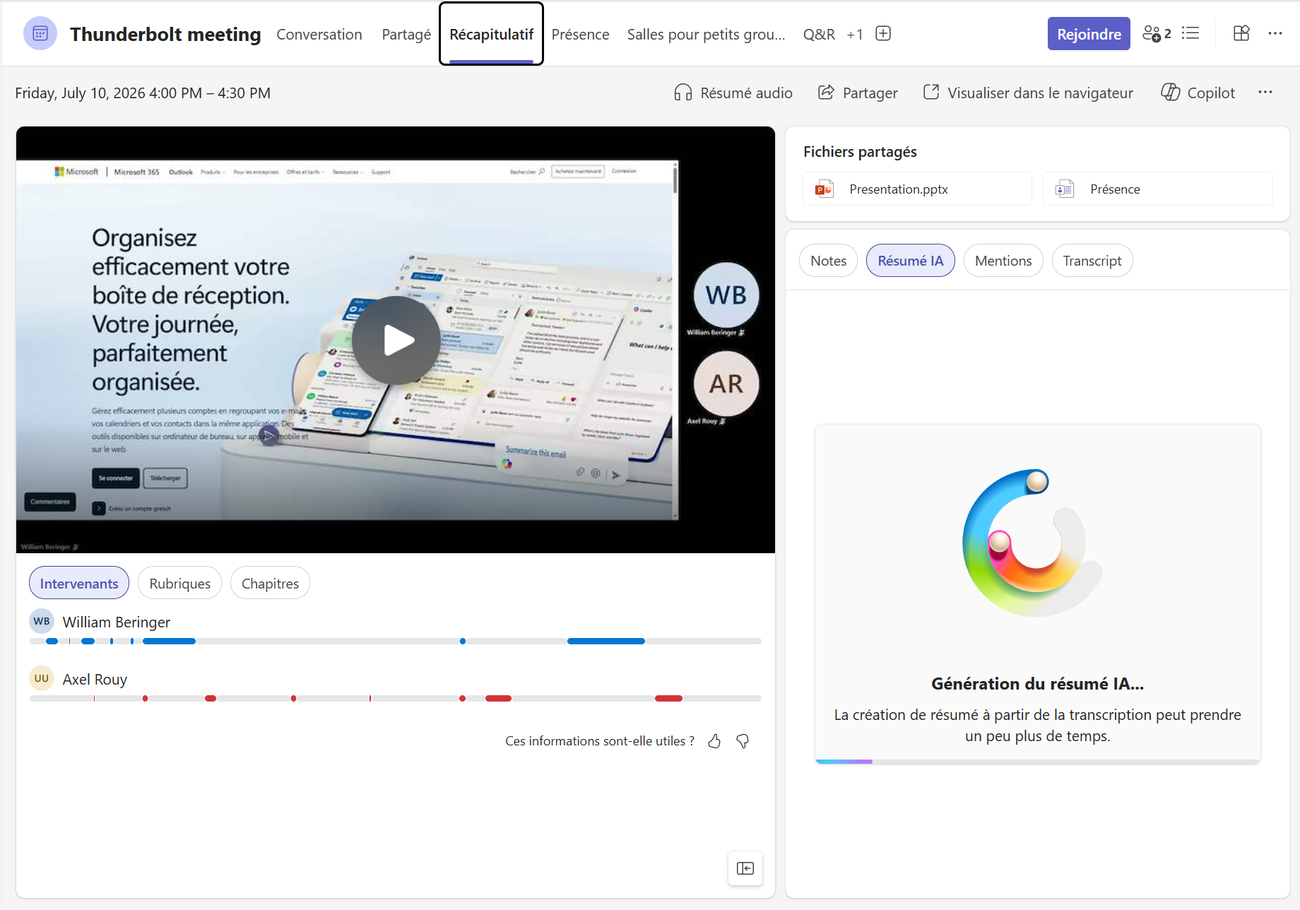
Open the meeting in Teams, Recap tab: you'll find the video recording, the speaker timeline and the shared files (transcription must be on).
- 2
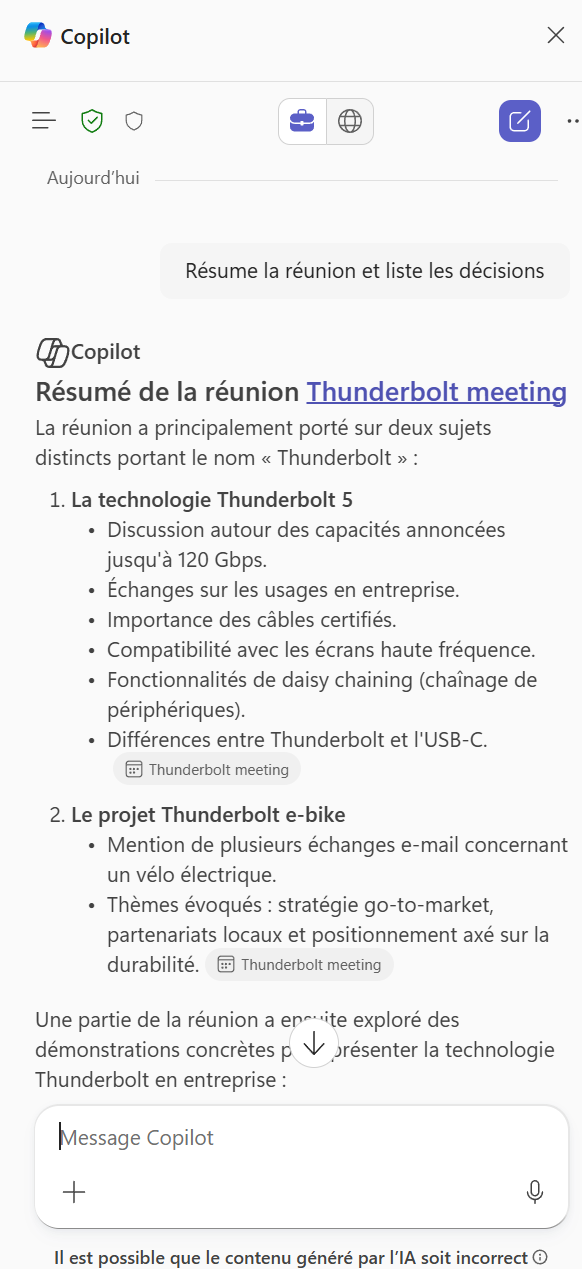
Click AI summary (or ask Copilot “Summarize the meeting and list the decisions”): Copilot generates a structured, topic-by-topic recap with the decisions taken.
- 3
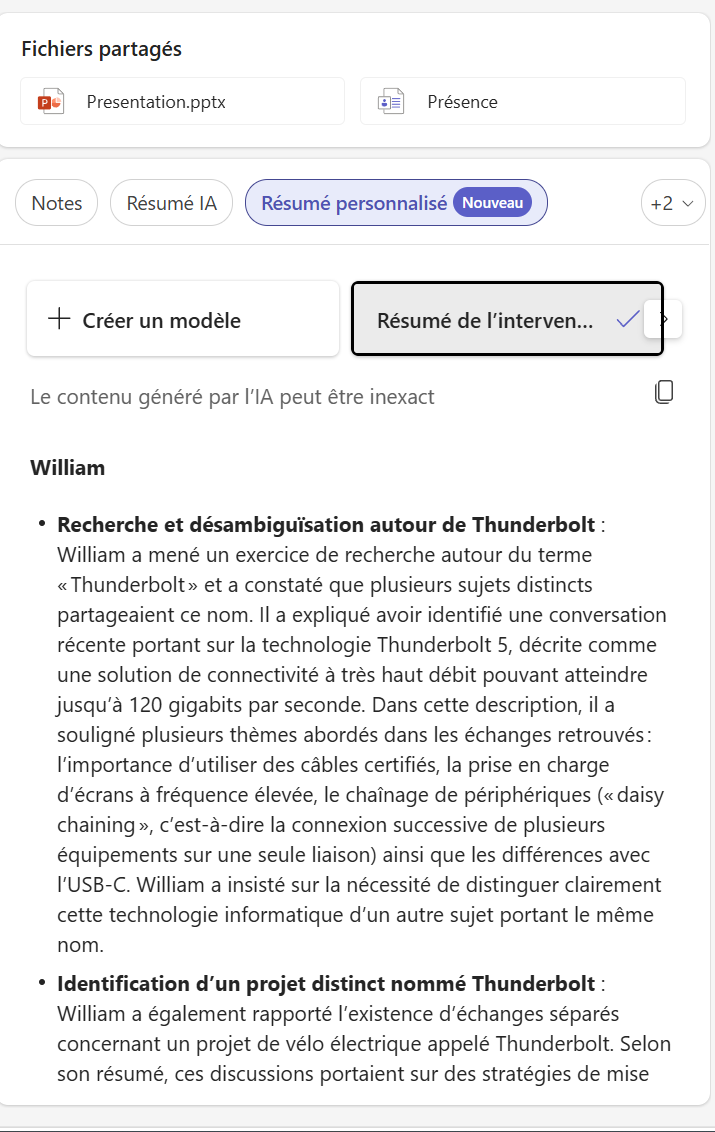
Need a specific angle? Pick Custom summary and a template such as “Speaker summary” for a targeted recap, or create your own template.
- 4
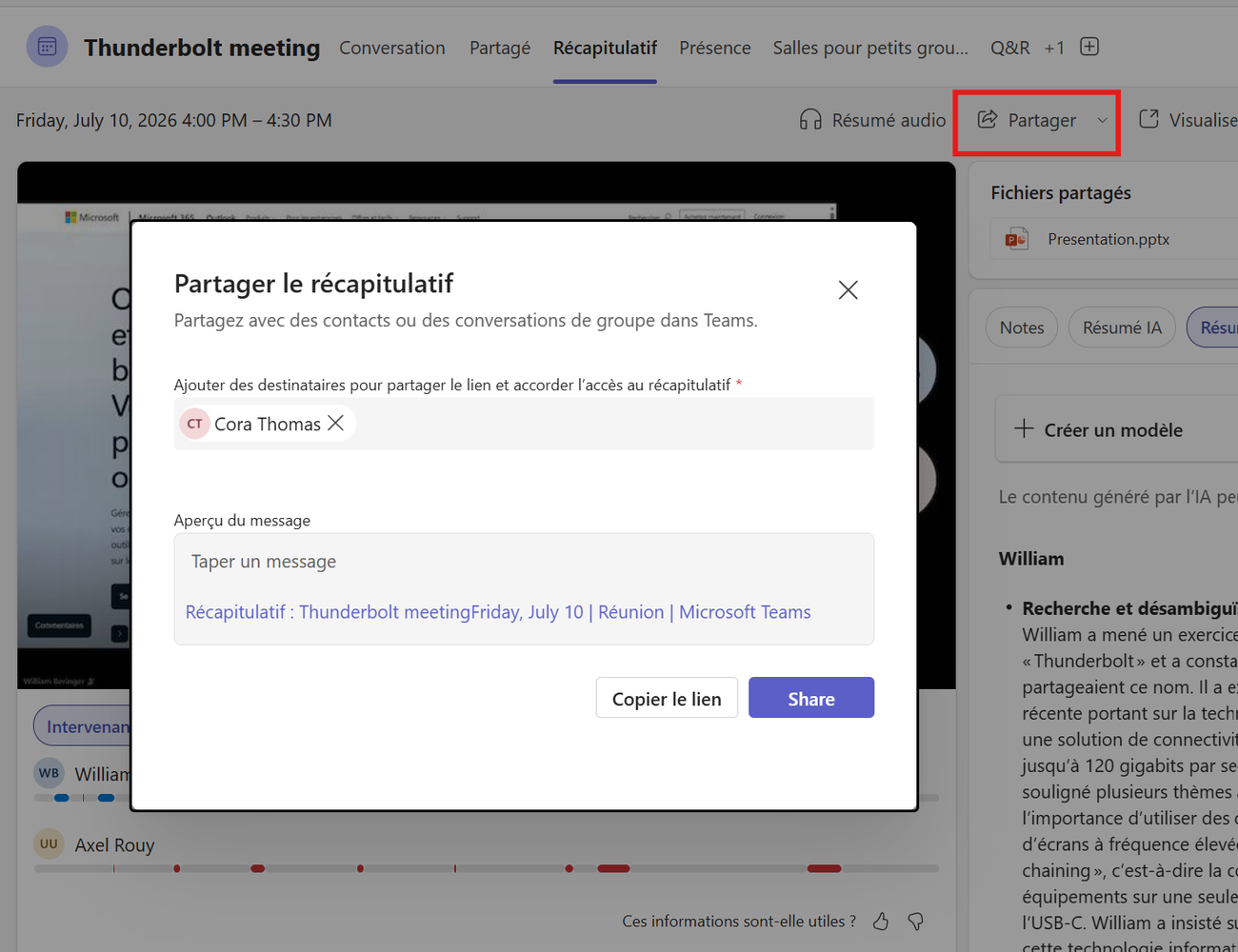
Share the recap: Share button, then add recipients. They get the link and access to the recap directly in Teams.
- 5
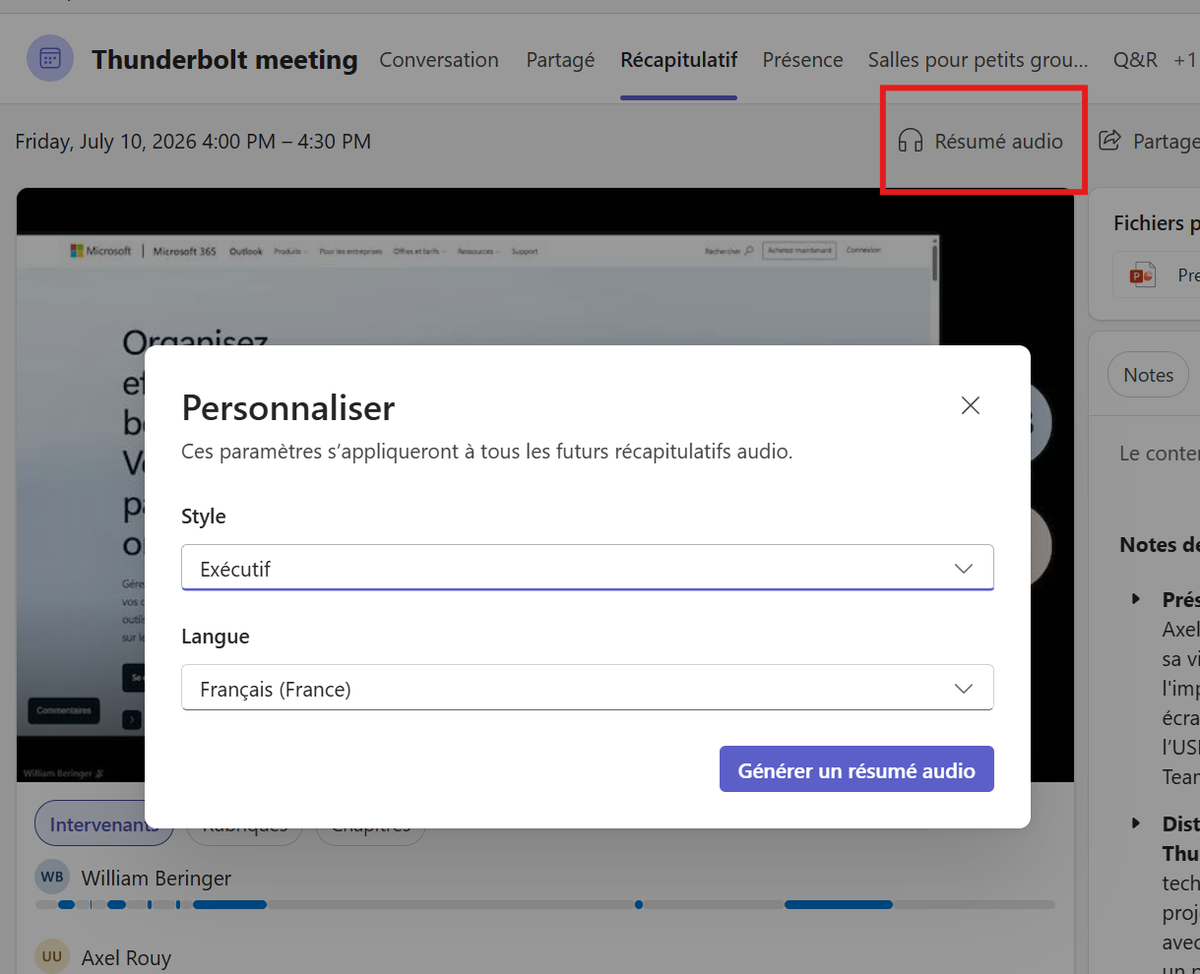
In a hurry? Generate an Audio summary: choose the style (Executive…) and the language, and Copilot produces an audio/video recap to listen to on the go.
⚡ Prompt to copy
Summarize this meeting in 5 bullets, list the decisions taken, then generate a task table with columns: action, owner, due date.
💬 Comments
No comments yet. Be the first!
✨ Discover more
PremiumFacilitator: the agent that takes notes in your Teams meetings for you
Facilitator is a Copilot agent that sits in your Teams meetings like an extra teammate: it takes notes in real time, tracks the agenda, keeps up with decisions and tasks, and answers questions in the meeting chat. Let's see how to turn it on (two ways), what it does, and the nuance not to confuse with plain automatic transcription.
PremiumInterpreter: the real-time interpreter for your Teams meetings
Interpreter is an agent that translates speech live during your Teams meetings: everyone listens to the meeting in their own language, in real time, with the option to keep the tone of your voice. No more human interpreter to understand a colleague or client abroad.
PremiumMeeting Recaps: all your meeting summaries in one place
An often-overlooked Teams app that brings together all your meetings, past and upcoming, each with an intelligent recap. No more digging through chats or emails to find a summary: everything is centralized, and you can even listen to an audio recap.